Downloading Periodic Archive Report
Introduction
This topic outlines the step-by-step procedure for downloading a periodic archive report using the XY Stylist application. The periodic archive report provides comprehensive data for a selected date range, ensuring easy access for compliance and review purposes.
Steps to Download Periodic Archive Report
-
Sign in to XY Stylist
-
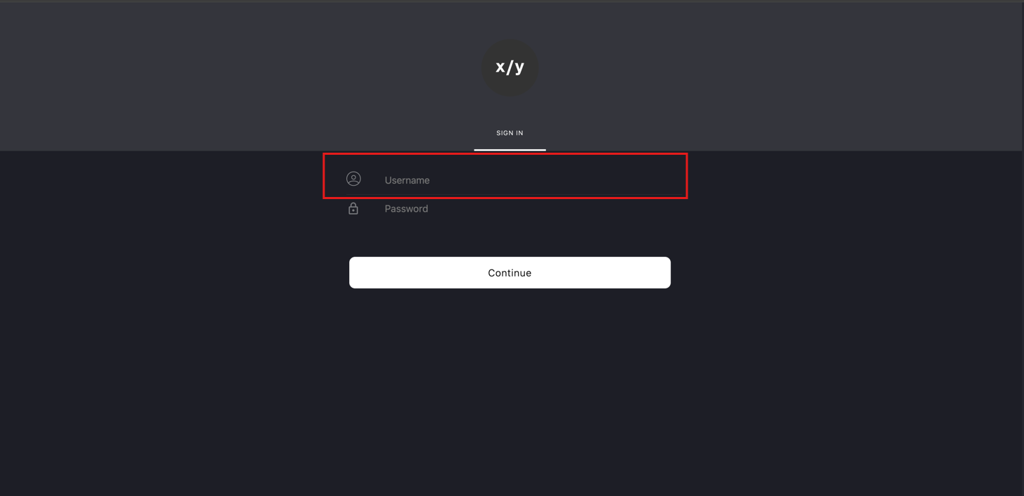
Enter the Auditor's email address (for example, auditor@xystore.com) in the Username field.
-
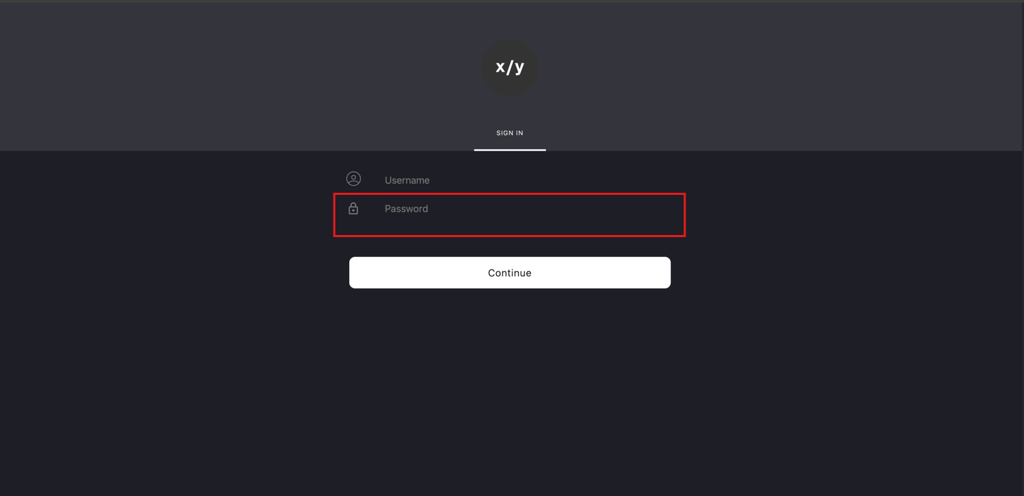
Enter the corresponding password in the Password field.
-
Click Continue to proceed.
-
-
Navigate to the Periodic Archive Section
-
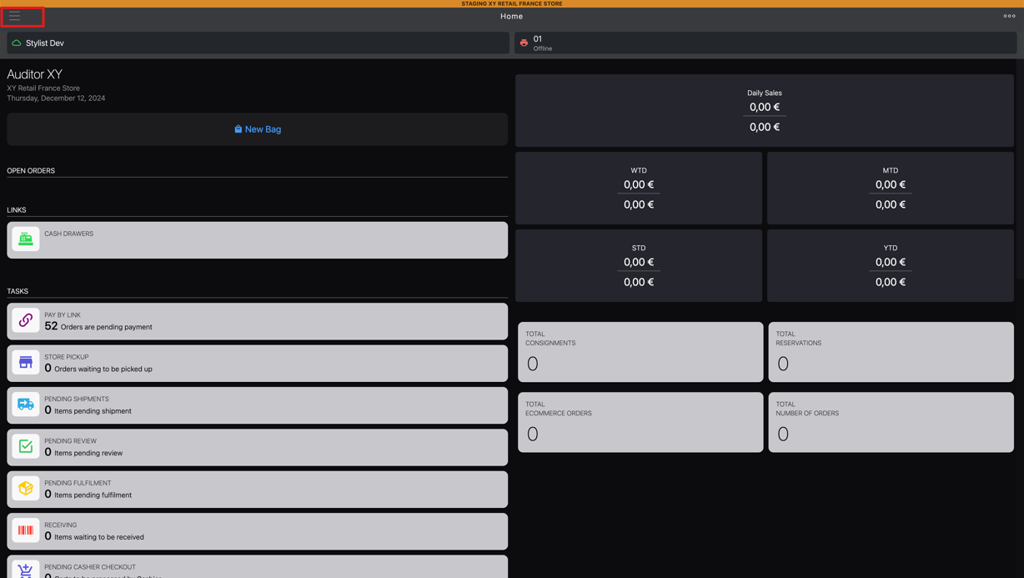
Click the burger menu (☰) located in the top-left corner.
-
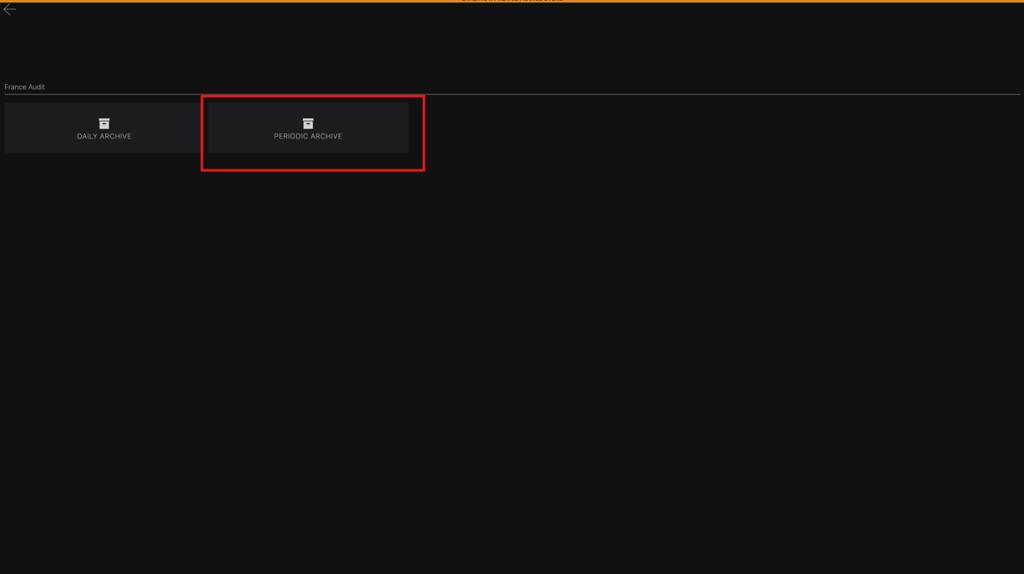
Select PERIODIC ARCHIVE from the menu to access the periodic archive page.
-
-
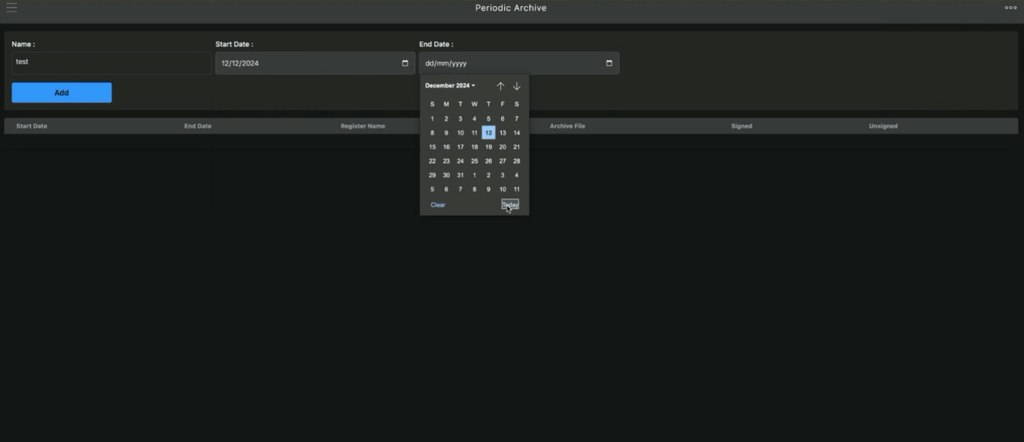
Enter Archive Details
-
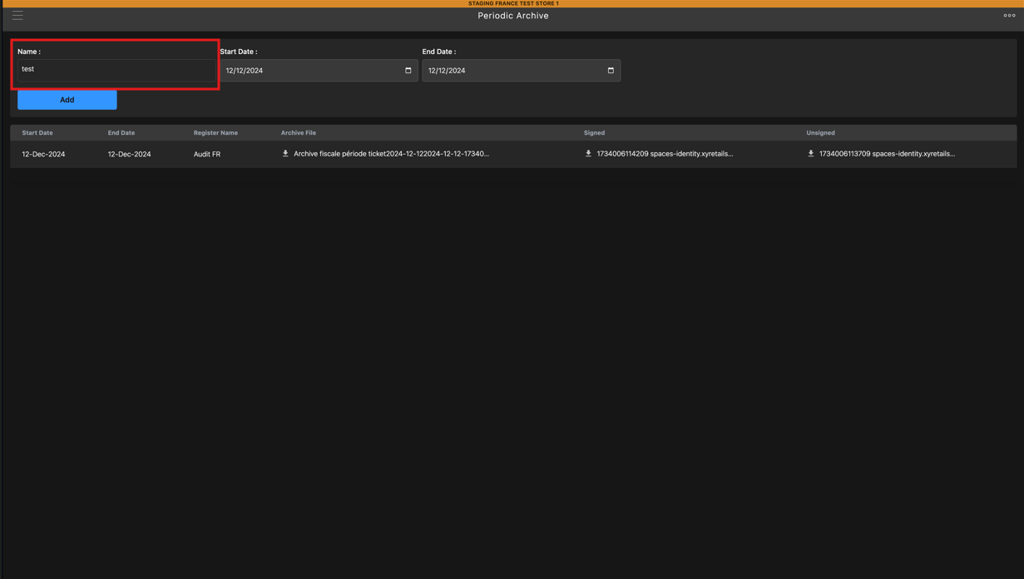
Name: Enter a name in the Name field to label the report.
-
Start Date:
-
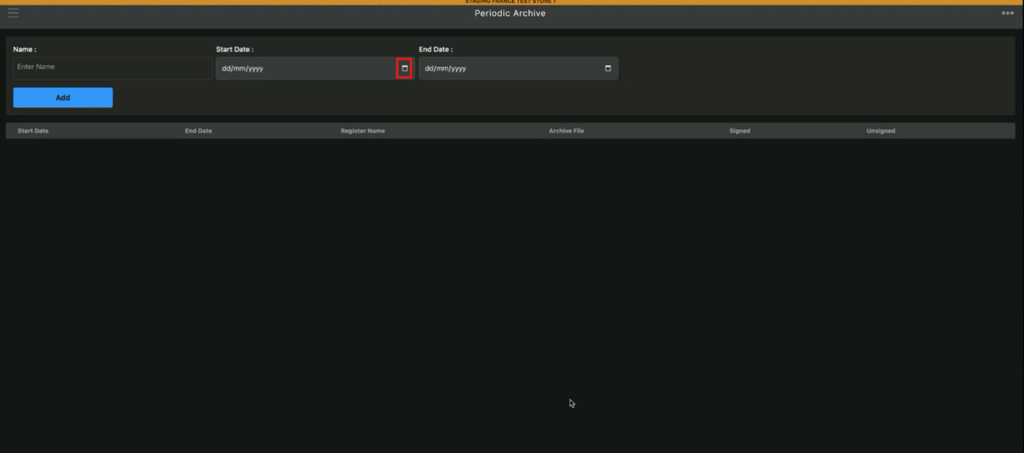
Click the Start Date calendar icon.
-
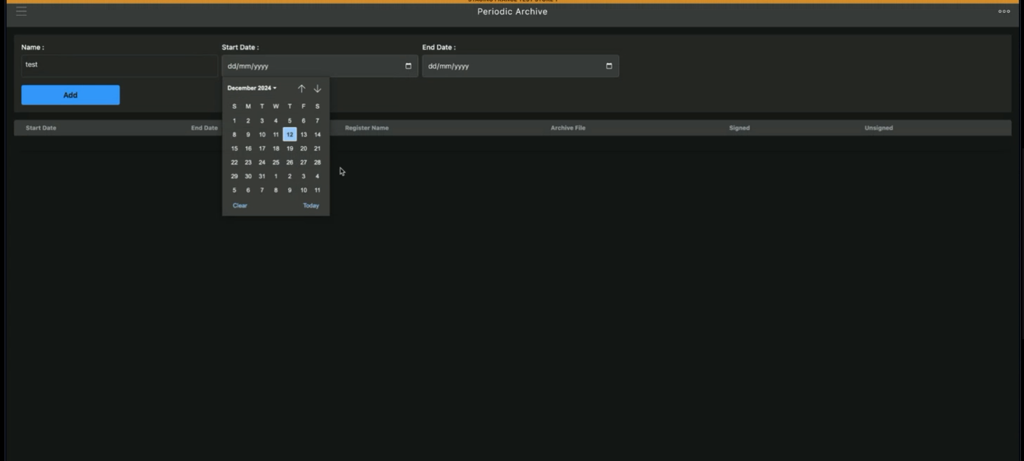
Select the desired start date for the report.
-
-
End Date:
-
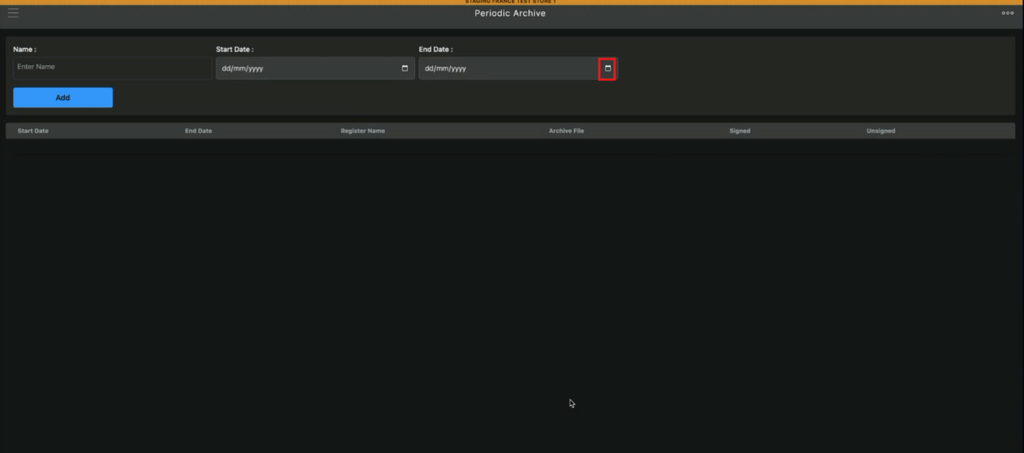
Click the End Date calendar icon.
-
Select the desired end date for the report.
-
-
-
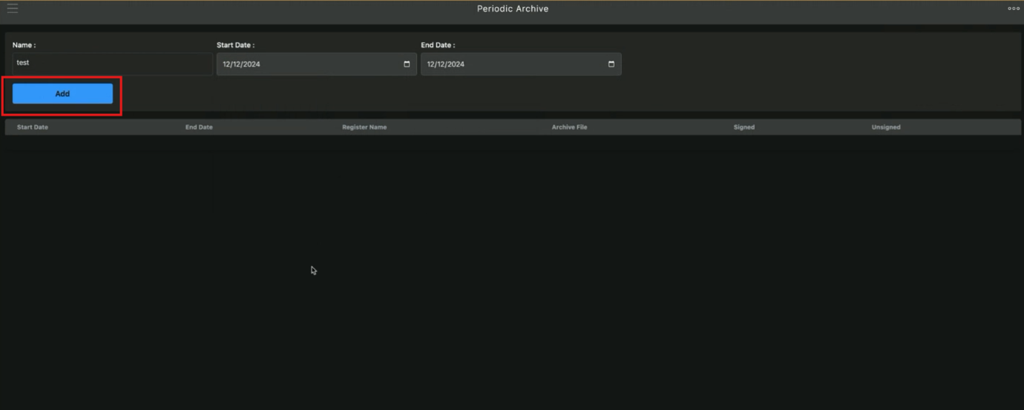
Generate the Report
-
Click Add to generate the archive report for the specified period.
-
-
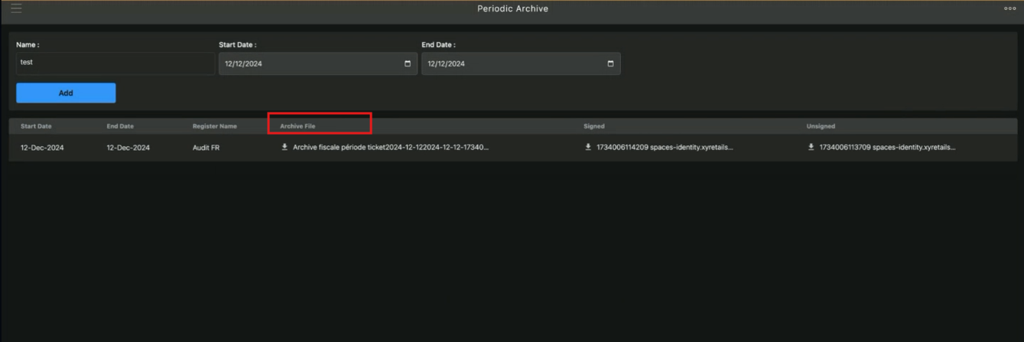
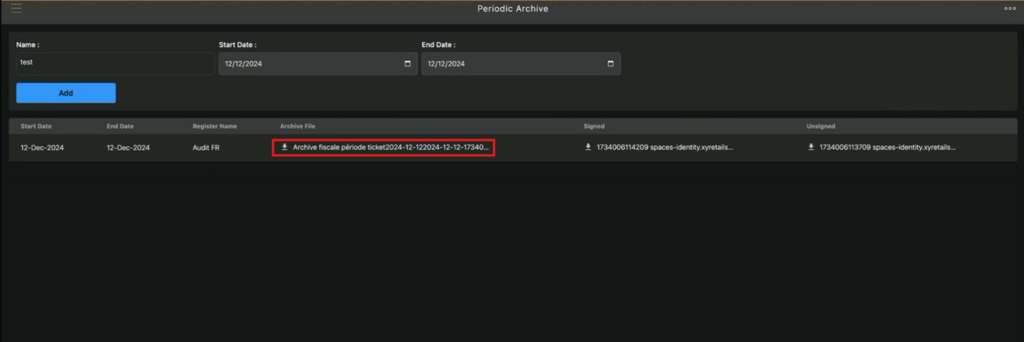
Download the Report
-
Locate the generated report in the Archive File column.
-
Click the file in the Archive File column to download the periodic archive report.
-
Note
- Ensure you specify the correct date range to retrieve the desired report.
- Verify that you have appropriate permissions and credentials to access the periodic archive.
- For any discrepancies or issues, contact the support team for assistance.
This procedure ensures a seamless and efficient way to access periodic archive reports for operational and compliance needs.