Built-in Shipment Filter
Introduction
Built-in shipment filter enhance the search experience with the drop-down menu filter category. You can tailor and sort the results to meet your precise requirements by selecting and applying specific criteria.
Filter Features
Sorting
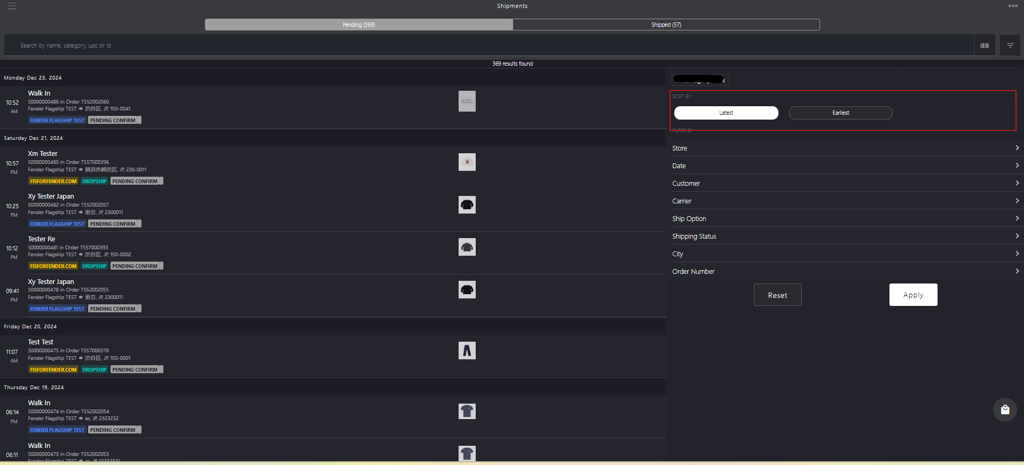
| Sorting Criteria | Description |
|---|---|
| Latest | Select the Latest option to view orders from the most recent date to the oldest. |
| Earliest | Select the Earliest option to view orders from the oldest date to the most recent. |
Filter
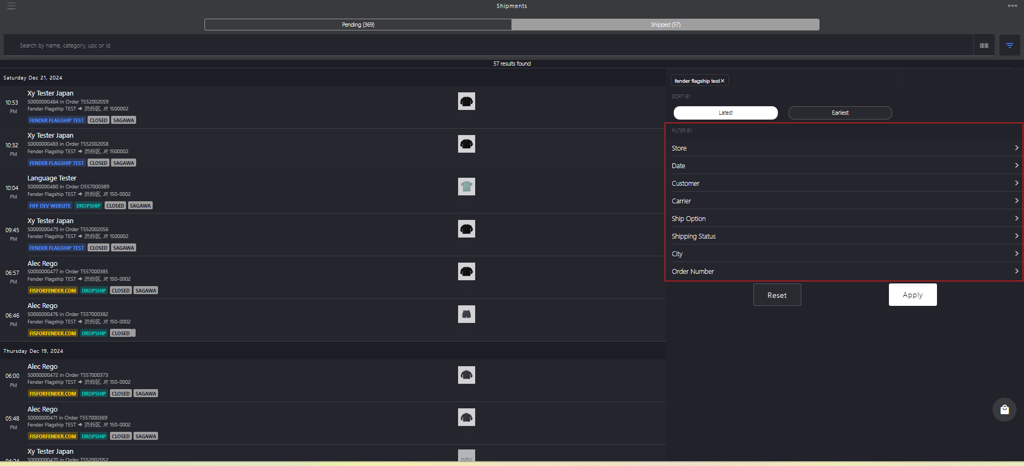
| Filter Category | Description |
|---|---|
| Store | Select the store where the order request were generated. |
| Date | Select Custom Range or Quick Link options to search for orders by the date they were generated. Custom Range: Select a date range when the order was generated. Start: Click the start date field to select the date from the calendar.End: Click the end date field to select the end date from the calendar. Quick Links: Select from one of the following options when the order was generated: TodayYesterdayWeek to DateMonth to DateYear to Date |
| Customer Name | Search for the order by entering the customer's full name in the Enter Customer Last Name field who placed the order or select the checkbox next to the desired customer. |
| Carrier | Search for the shipping carrier responsible for order delivery by entering the carrier’s name in the Search by Carrier field or select the checkbox next to the desired carrier. |
| Ship Option | Enter the shipping method in the Search by Ship Option field or select the checkbox next to the desired shipping options. XY POS offers the following shipping options:Chargeable Shipping: The customer has to pay for the shipping services, in addition to the product price and any applicable taxes.Free Shipping: The customer does not have to pay for shipping services. Retailers will cover the service cost as part of promotional offers. |
| Shipping Status | Enter the shippings status in Search by Shipping Status field. XY POS adopts following shipping statuses to achieve the efficient order delivery and fulfillment: PENDING CONFIRM: Shipment is awaiting confirmation to proceed.CLOSED: Shipment is completed and delivered.DROPSHIP: Shipment is handled directly by a third-party supplier.CONFIRMED: Shipment is approved and ready for dispatch. |
| City | Enter the destination city in the Search by City field. |
| Order Number | Enter the order number in Search by Order Number field or select the checkbox next to the desired order number. |
Action Buttons
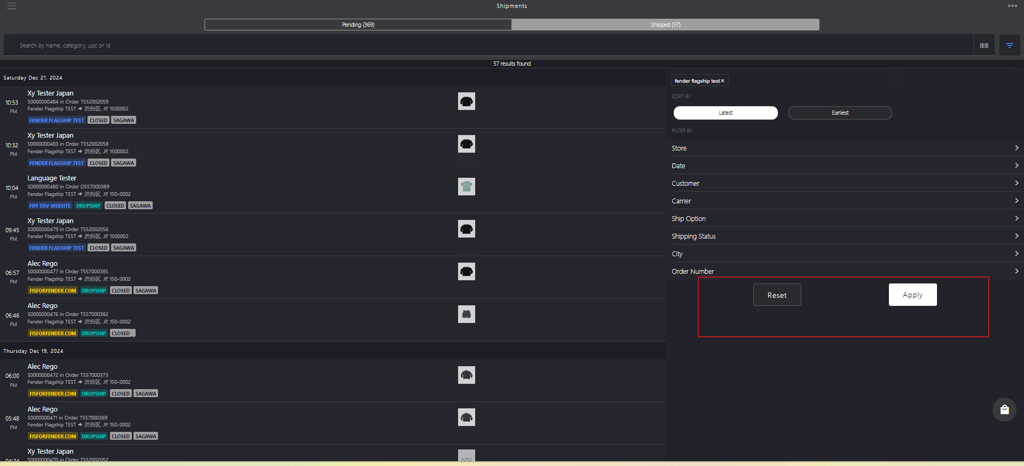
| Action Buttons | Description |
|---|---|
| Apply | Click the Apply button to apply filter criteria and display the requested order or orders list. |
| Reset | Click the Reset button to remove all the applied filters and return to default view. |