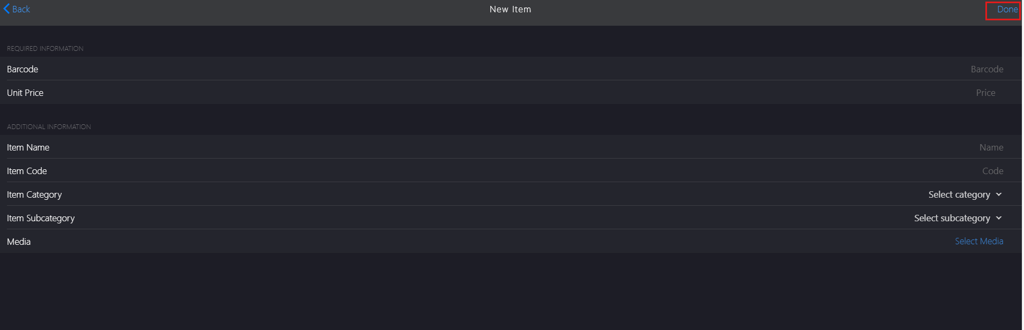
Adding Missing Item
Introduction
This topic explains the procedure of manually adding missing items to Products**.**
Steps to Add Missing Item
-
Click the meatballs menu in the upper right corner.
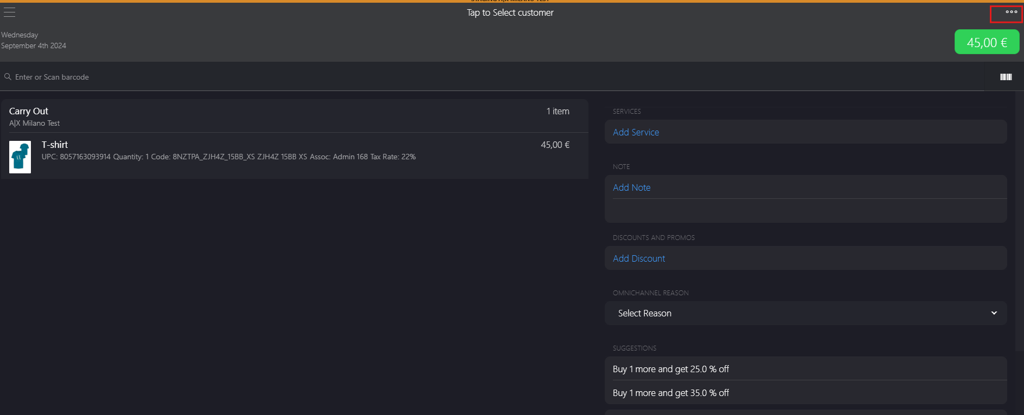
-
Click + Add Missing Item.
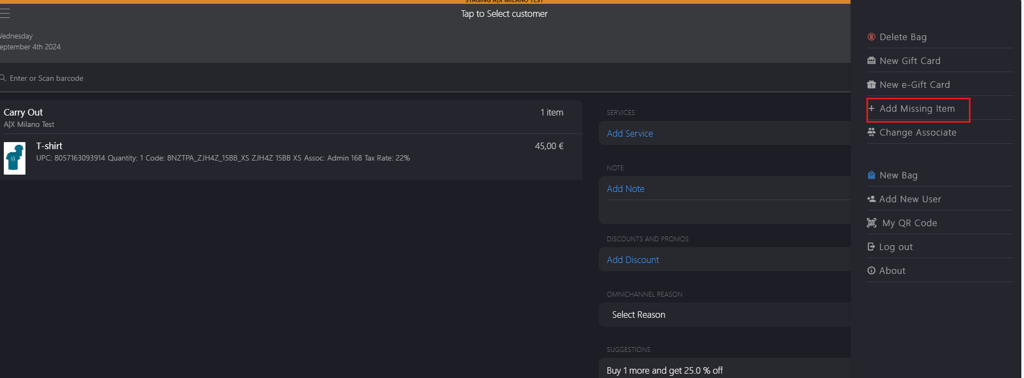
-
On the New Item page, complete the following fields:
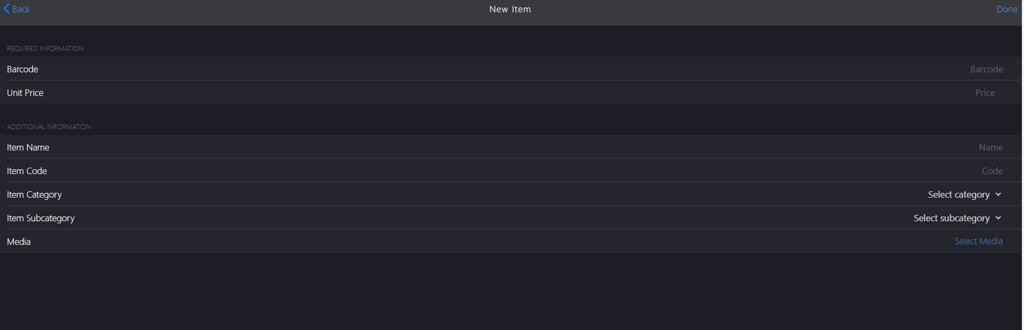
a. In the Required Information section:
- Barcode: Enter the unique identifier for the item.
- Unit Price: Enter the item price.
b. In the Additional Information section:
- Item Name: Enter the item name.
- Item Code: Enter the item code.
- Item Category: Select the item category from the Select Category dropdown menu.
- Item Subcategory: Select the item subcategory from the Select Subcategory dropdown menu.
- Media: Click Select Media to upload an image.
-
Click Done to save the item details.