Returning an Order
Introduction
This topic explains the procedure for initiating a return process if a customer desires to return an order.
Steps to Return an Item in the Order
-
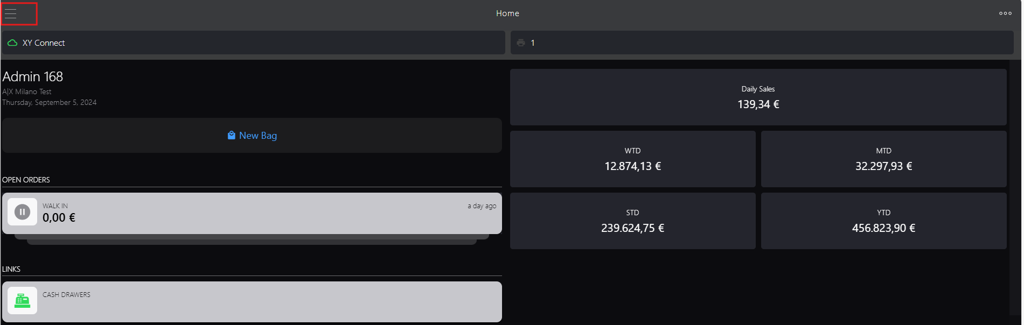
Click the burger menu.
-
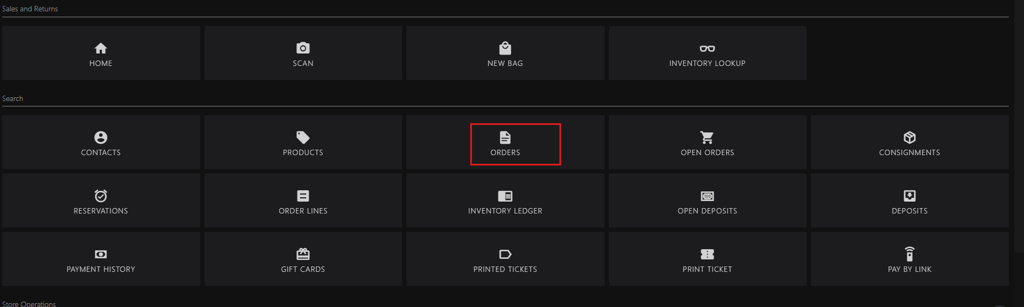
Click ORDERS.
-
You can search the order id using following options:
For an order with reference, initiate new search in the search box:
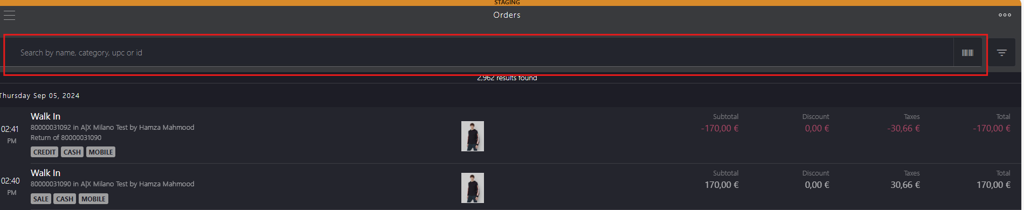
Enter the following keywords:
- name
- category
- upc
- id
Scan the order barcode
For an order without reference, use the integrated filters at the upper right corner.

-
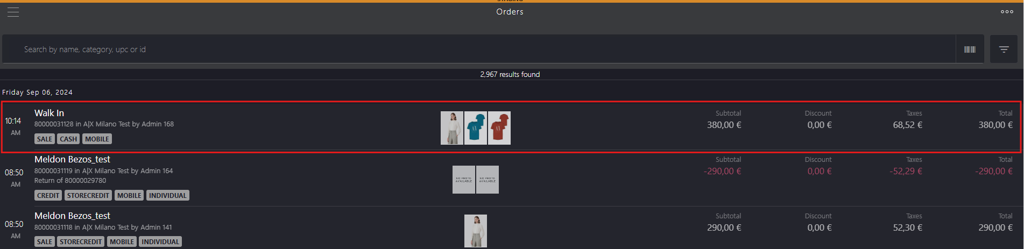
Click the order, or alternatively, swipe the order to the left to access Fast Returns.

-
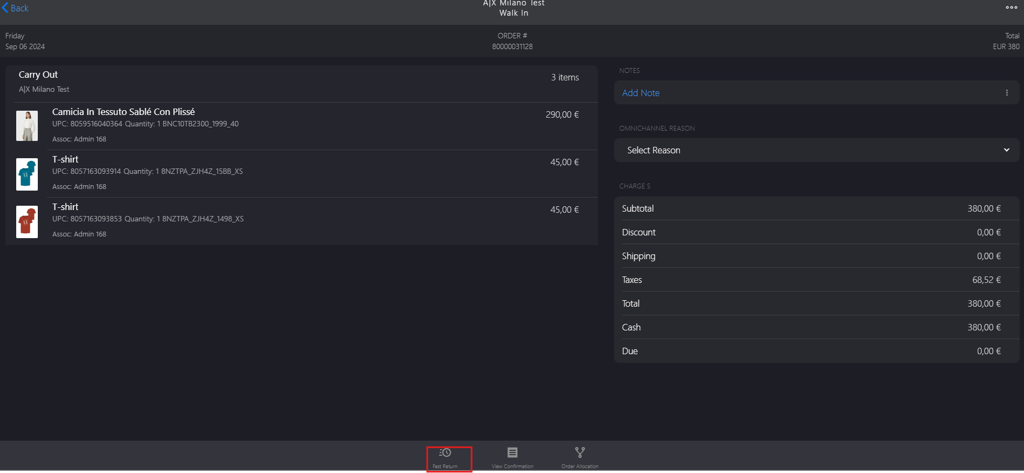
Click Fast Return in the bottom bar on the store page.
-
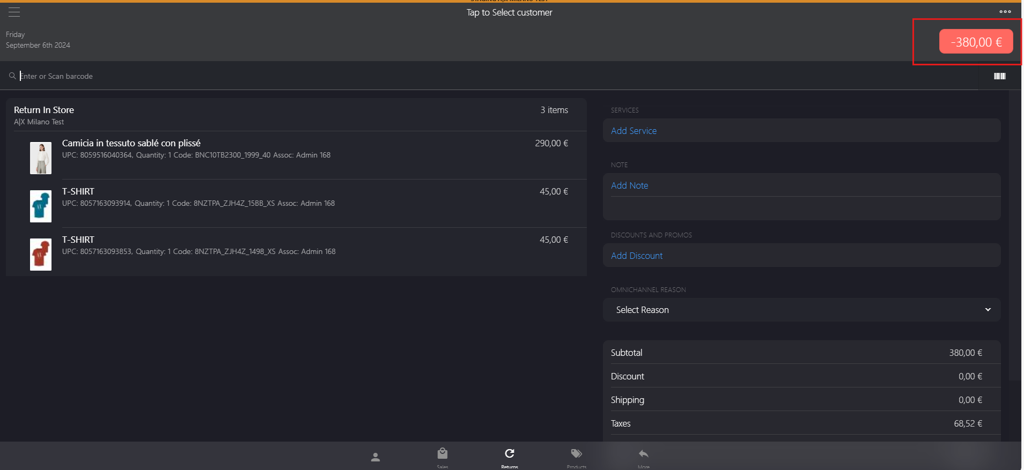
Click the red button located in the upper right corner in the Returns tab.
-
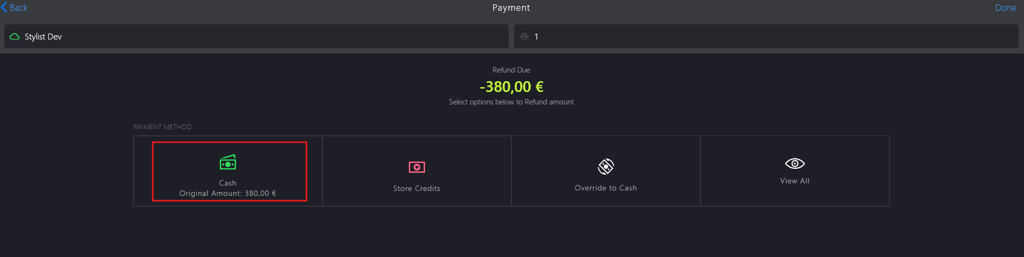
Select the preferred payment options. Note: CASH option has been selected in this scenario.
-
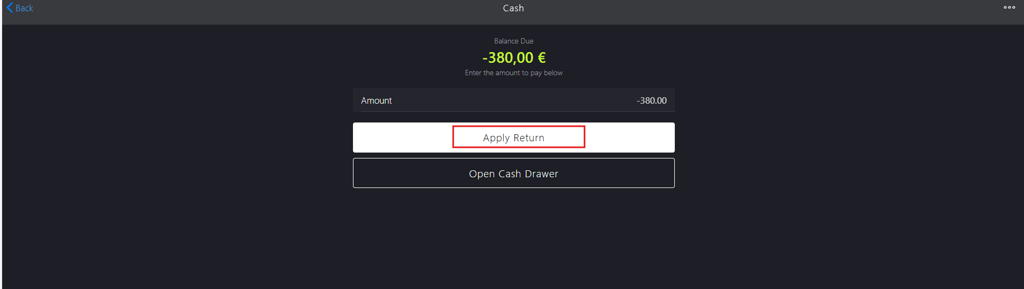
Click Apply Return.
-
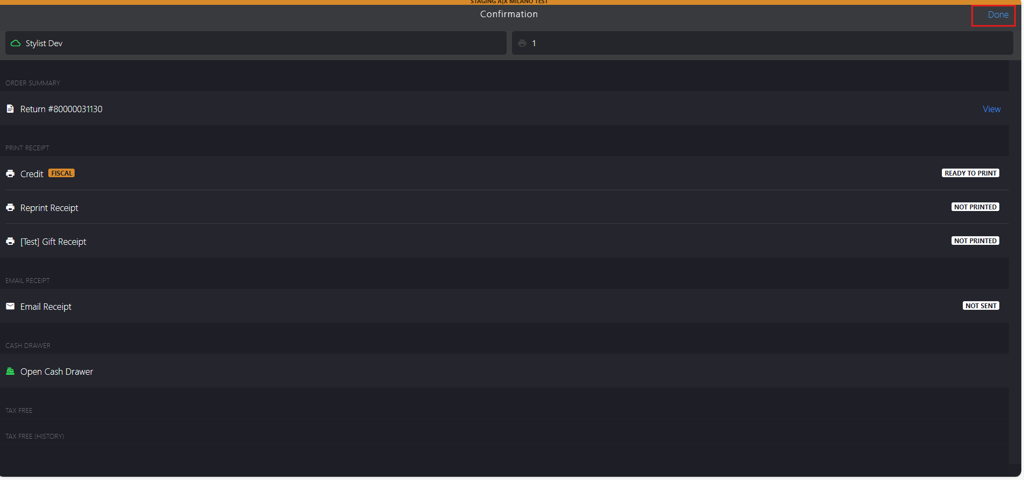
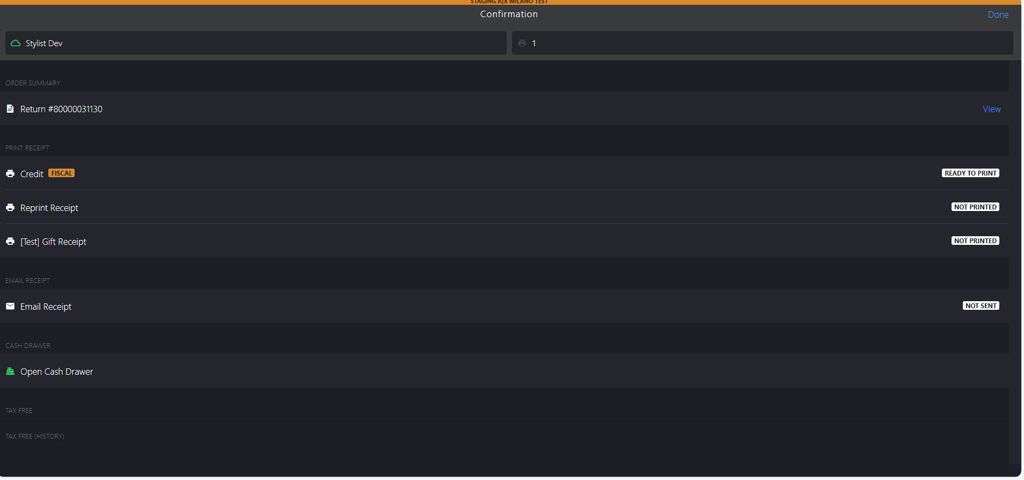
You will be directed to the Confirmation page where you can print the receipts.
-
Click Done to complete the return transaction.