Promotion Management: Edit, Copy, and Status Updates
Introduction
This topic covers the process of modifying existing promotions, including extending the duration of a promotional period, copying existing promotion parameters to create a new promotion, and updating the promotion status between active and inactive.
Steps to Edit, Copy, and Status Updates
-
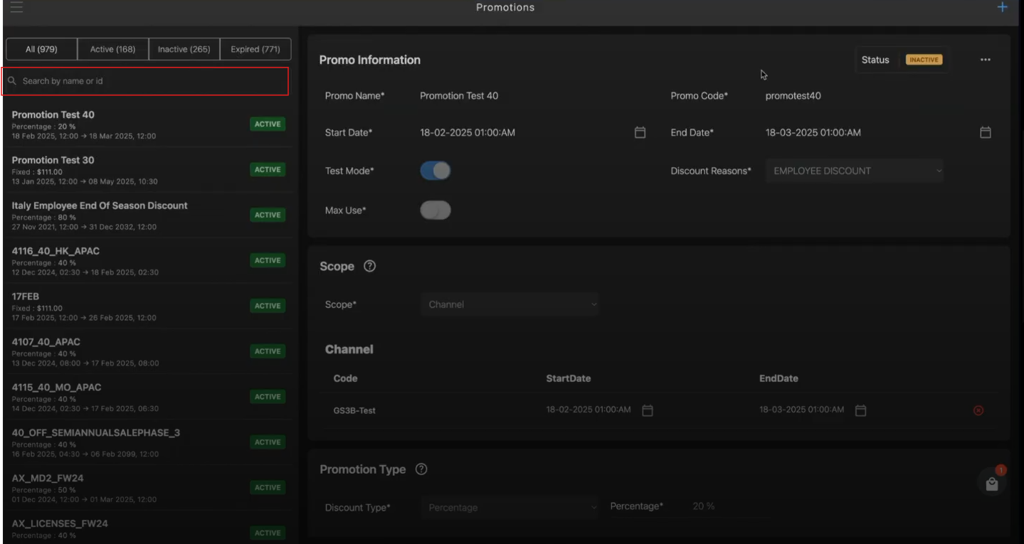
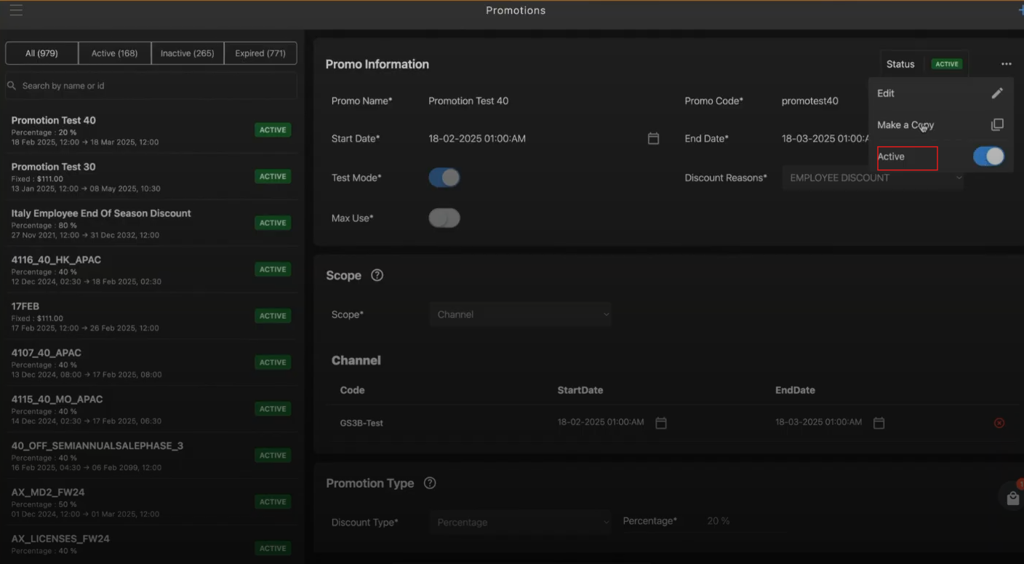
Enter the promotion code or name in the search box to locate and modify, copy, or update the status of the specific promotions.
-
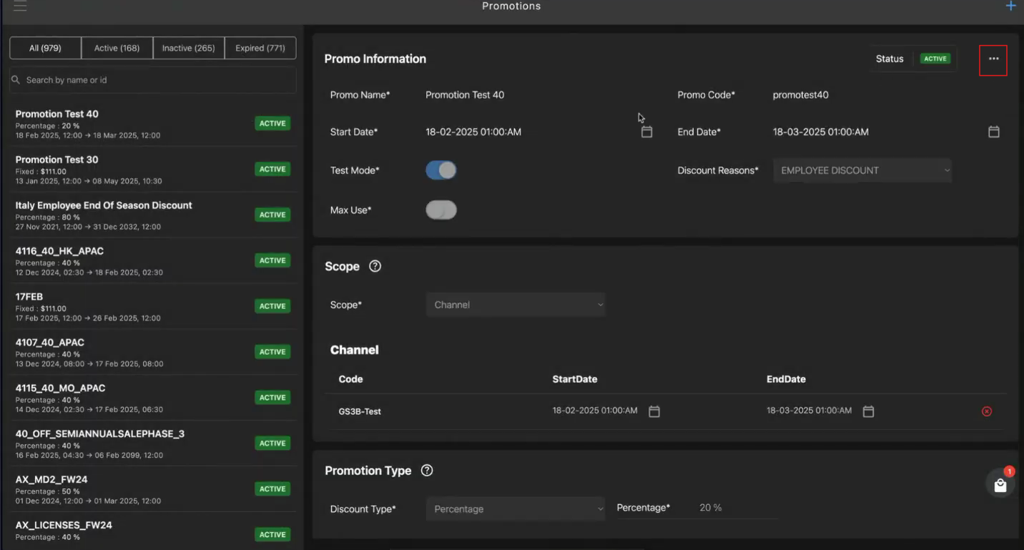
Click the meatball menu in the upper-right corner of the Promo Information section.
-
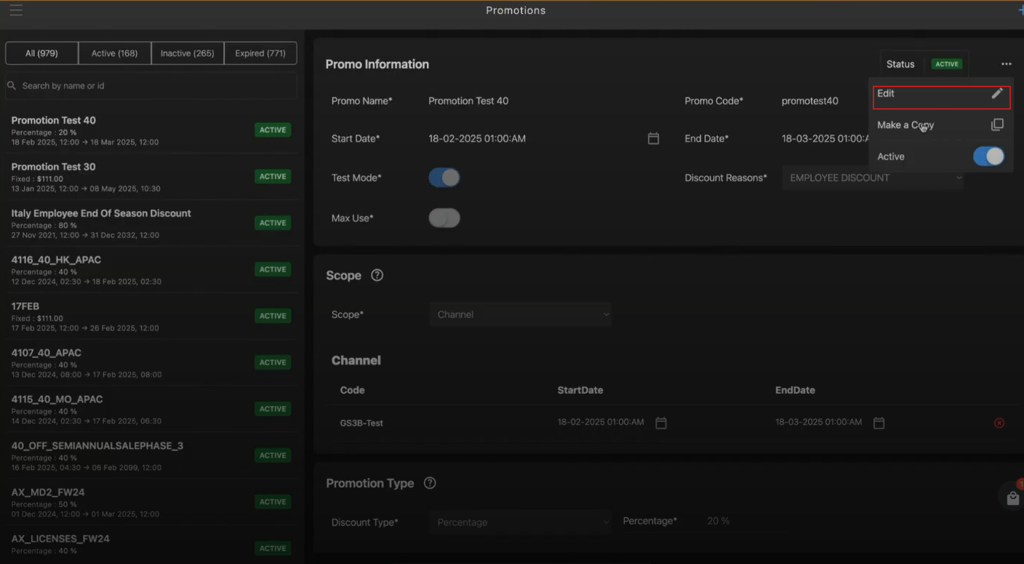
Select Edit from the menu to update promotion parameters.
-
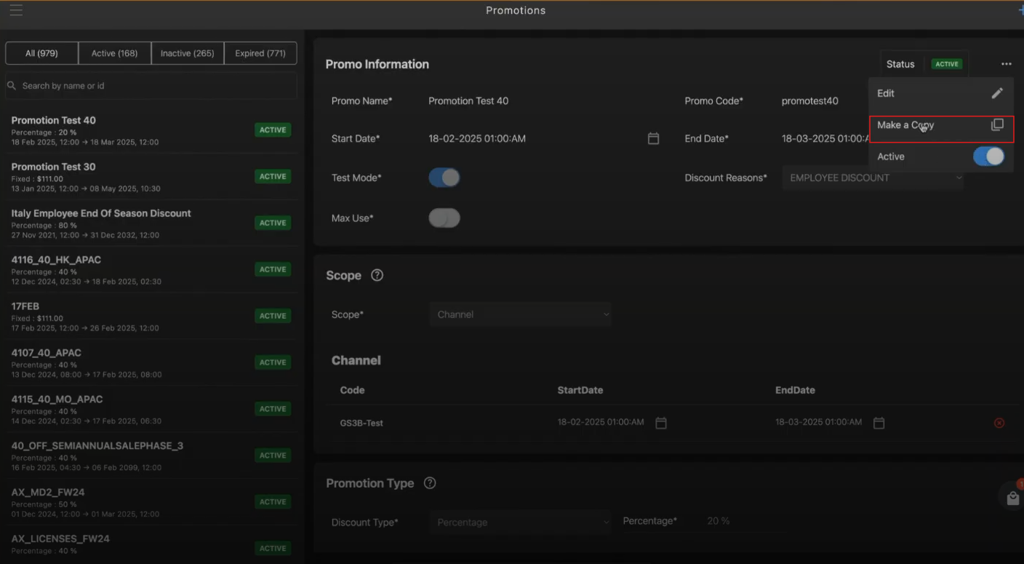
Select Make a Copy to copy all the promotion parameters applied from Scope section to Inclusion/Exclusion section.
-
Enable or disable the promotion using the Active toggle button.
-
Status Bar in the left pane of the Promotions screen provides following status information:
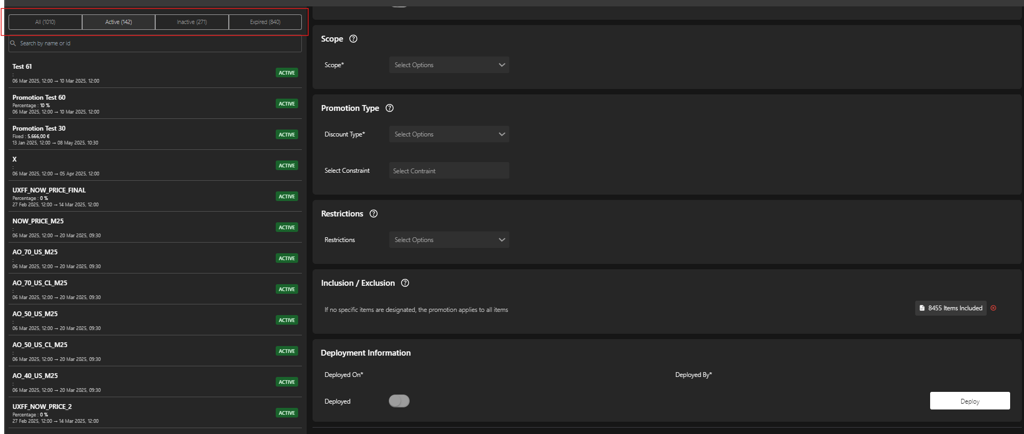
- All – Displays all promotions.
- Active – Displays the lists of promotions that are currently active.
- Inactive – Displays the lists of promotions that are currently inactive.
- Expired – Displays the lists of promotions that are no longer valid.