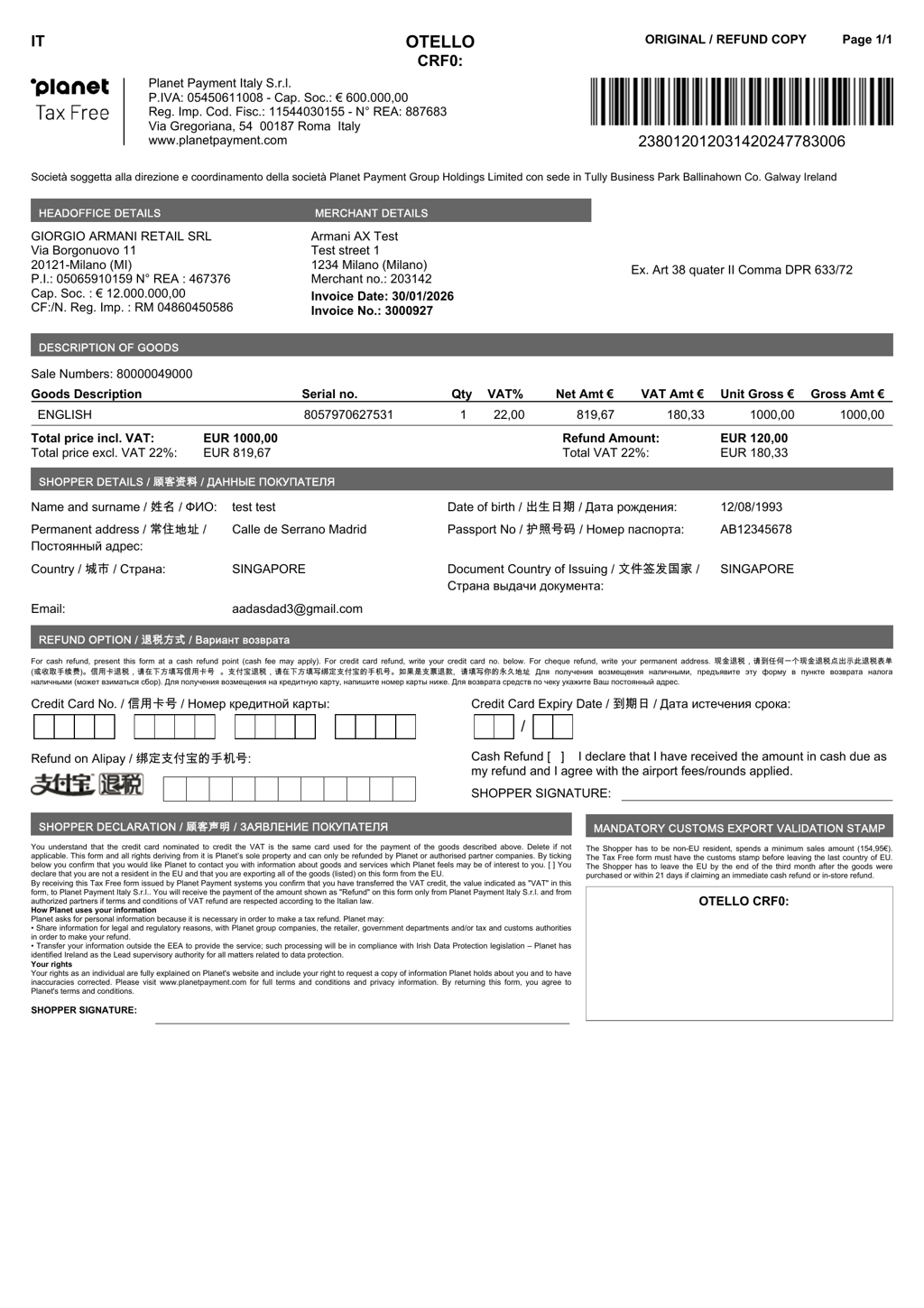
Reprinting the Planet Tax Free Invoice
Introduction
This topic explains how to reprint an already generated Planet tax free invoice document.
Steps to Apply Panet Tax-Free
-
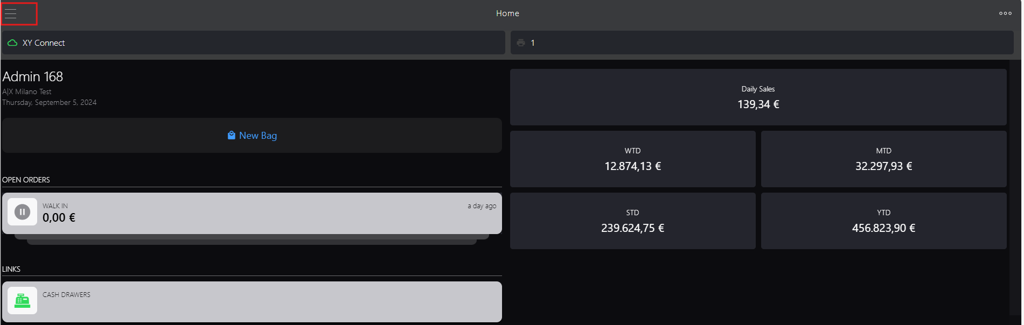
Click the burger menu.
-
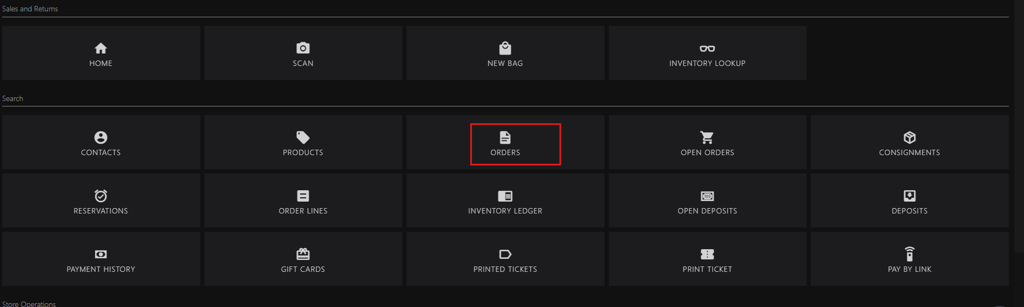
Click ORDERS.
-
Locate the order id using following options:
-
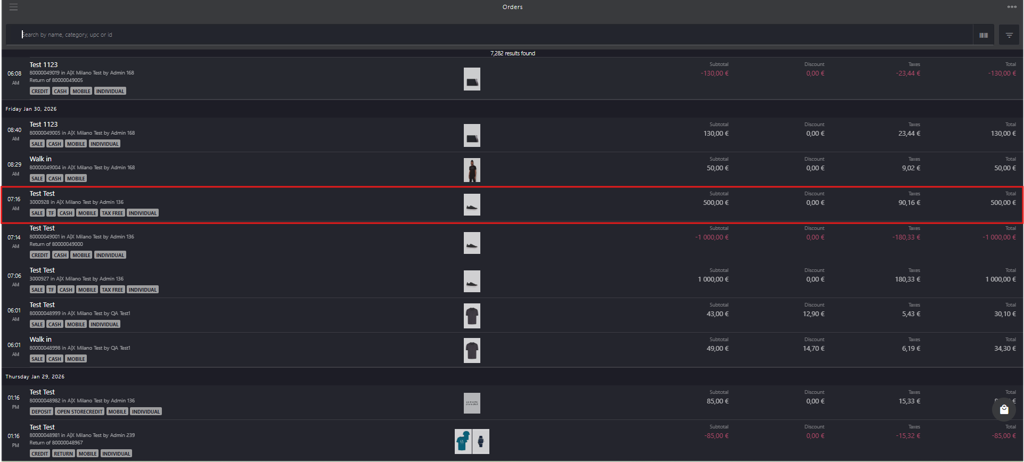
For an order with reference, initiate new search in the search box:
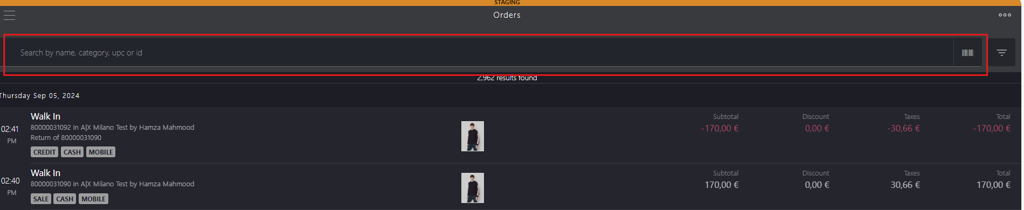
- Enter the following keywords:
- name
- category
- upc
- id
- Scan the order barcode
- Enter the following keywords:
-
For an order without reference, use the integrated filters at the upper right corner.

-
-
Click the requested order id.
-
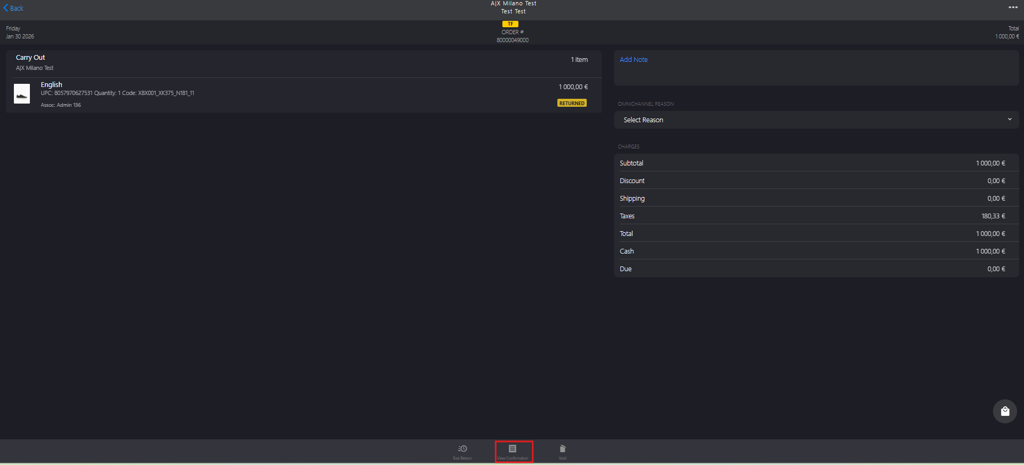
Click View Confirmation in the bottom bar.
-
Click Tax Free again to reprint the Planet tax free invoice.
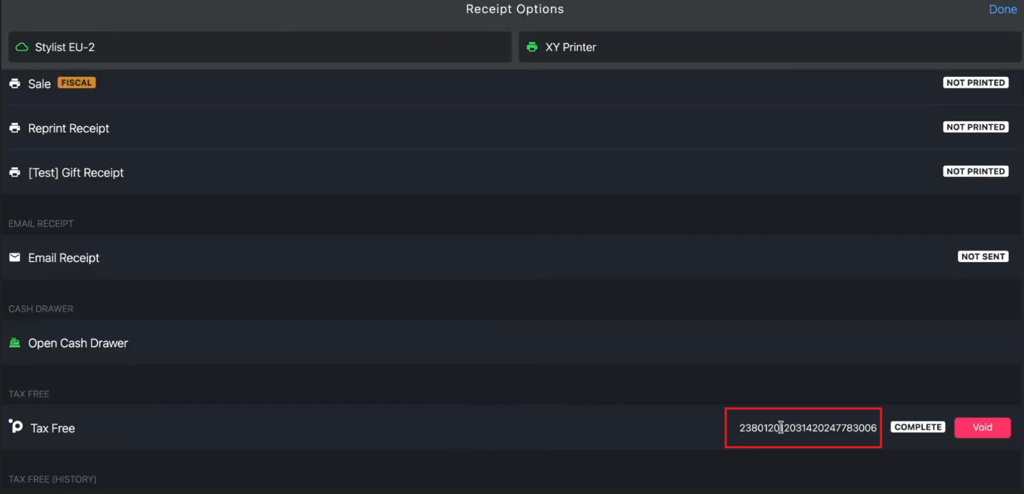
Example: A sample Planet Tax Free invoice is shown below for reference.