Closing Sale with Wire Transfer
Introduction
This topic explains the procedure for closing a sale with wire transfer.
Steps to Close a Sale with Wire Transfer
-
Click the green button.

-
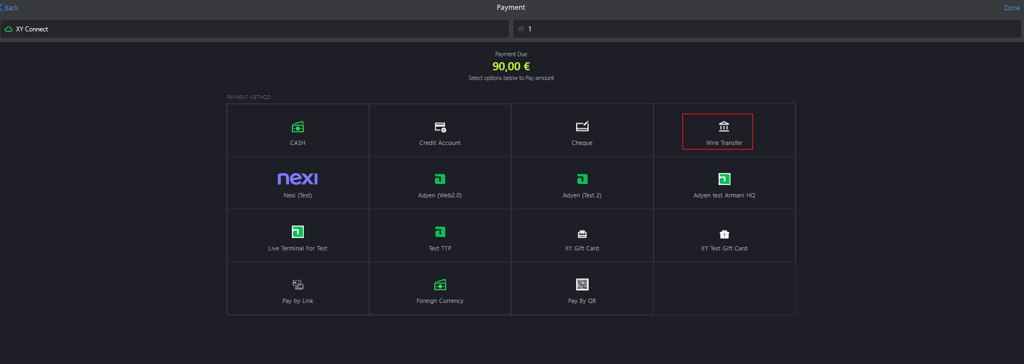
Select Wire Transfer from PAYMENT METHOD.
-
Enter the following information to proceed with payment:

- From Bank: Enter the bank's name from which the funds will be transferred.
- To Bank Name: Enter the bank's name to which the funds will be transferred.
- Reference Number: Enter the reference number associated with the wire transfer.
-
Click Apply Payment.

-
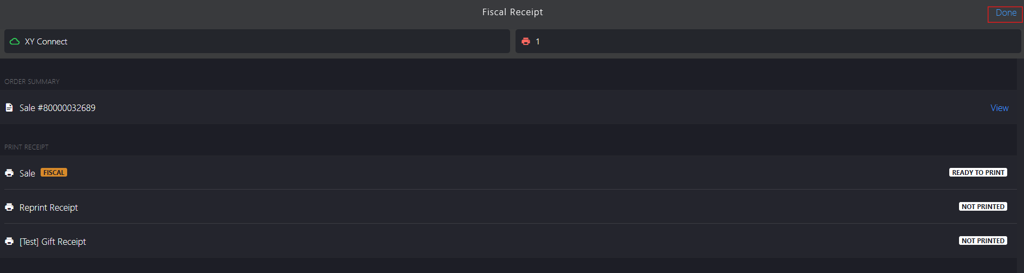
Click Done to close the sale.