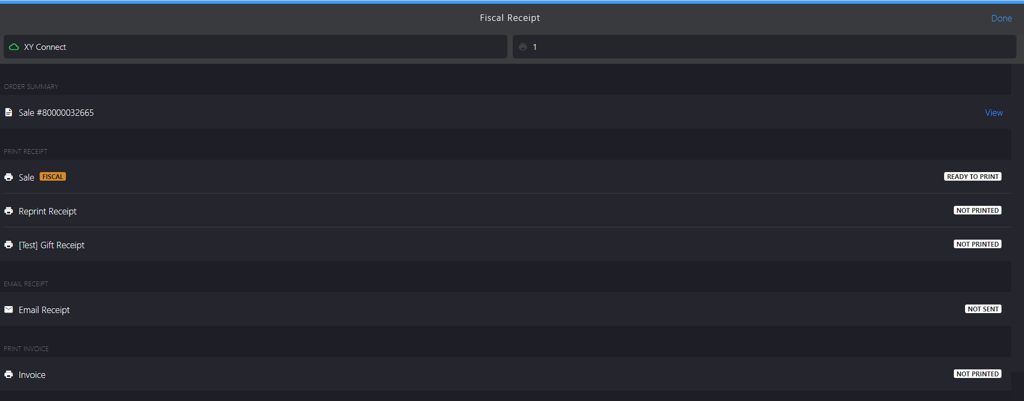
Closing Sale Manually During Adyen Network Error
Introduction
This topic explains the procedure for closing a sale manually when there is a network error connecting to the Adyen payment terminal.
Steps to Close a Sale Manually During Adyen Network Error
-
Click the green button.
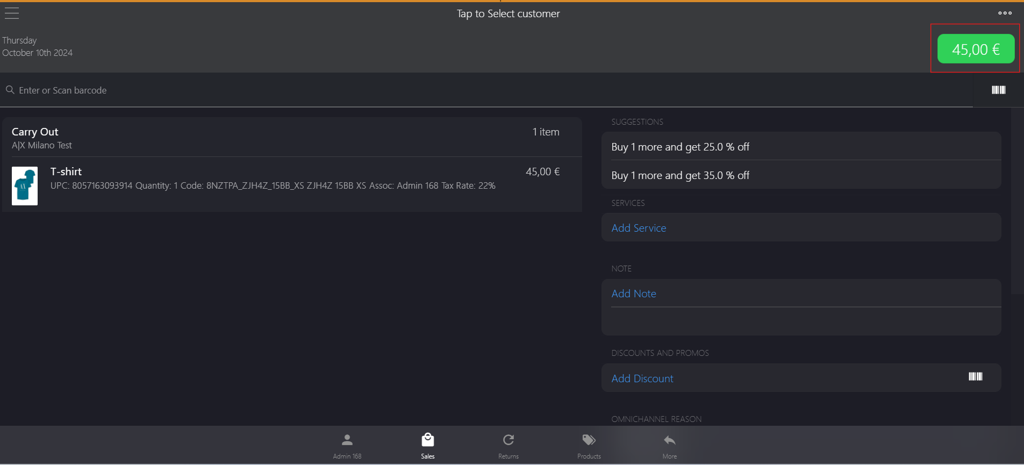
-
Select Adyen from the PAYMENT METHODS.
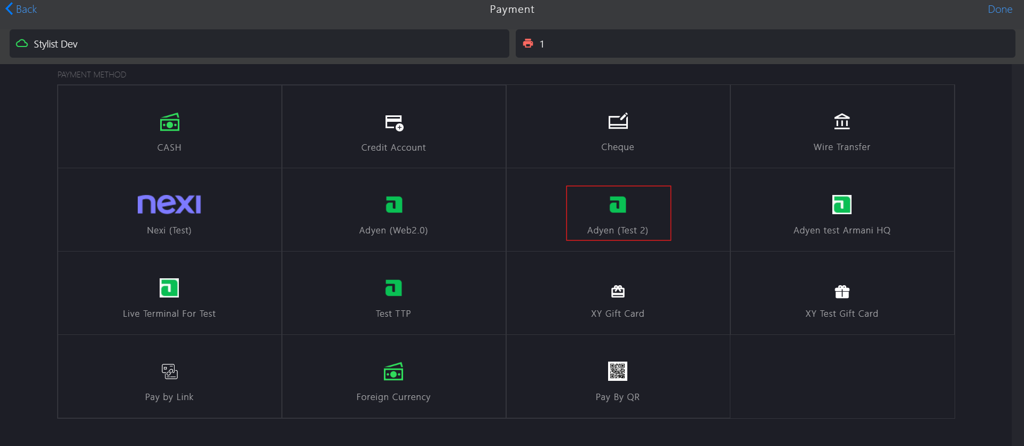
-
Select a Payment Method from the dropdown menu.
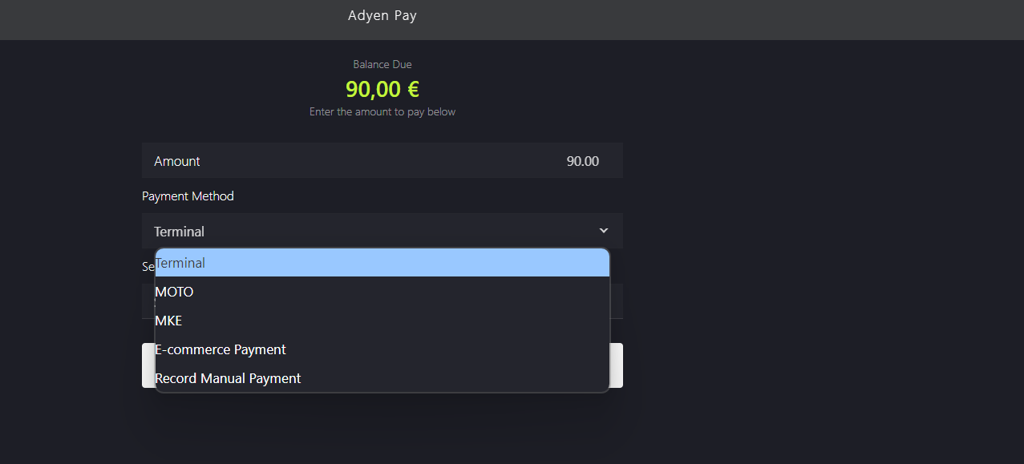
-
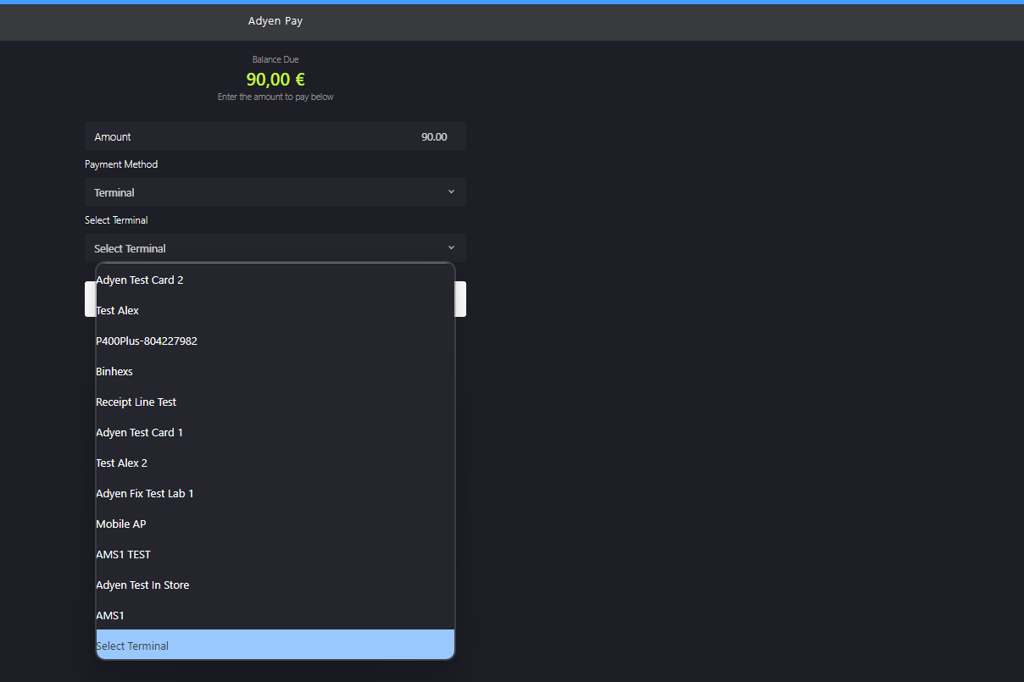
Select a Terminal from the dropdown menu.
-
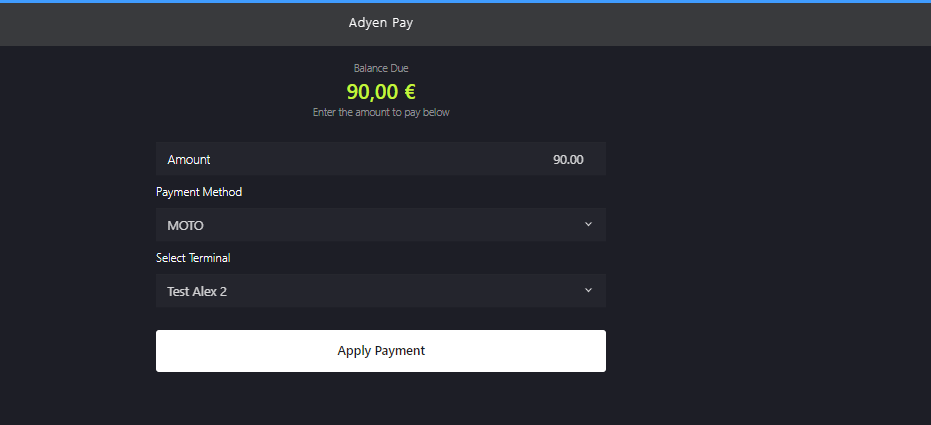
Click Apply Payment.
-
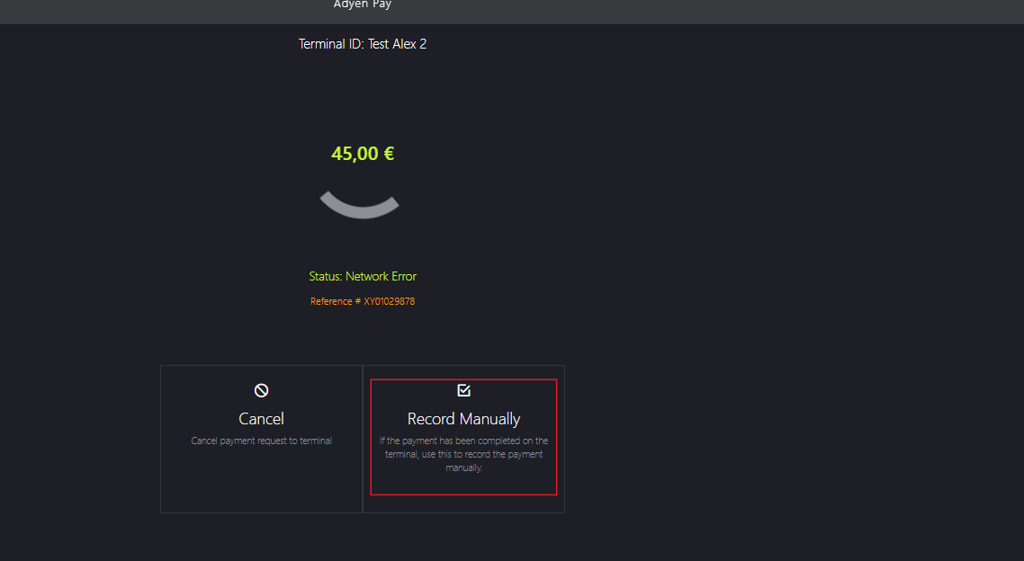
Click Record Manually to manually proceed the payment.
-
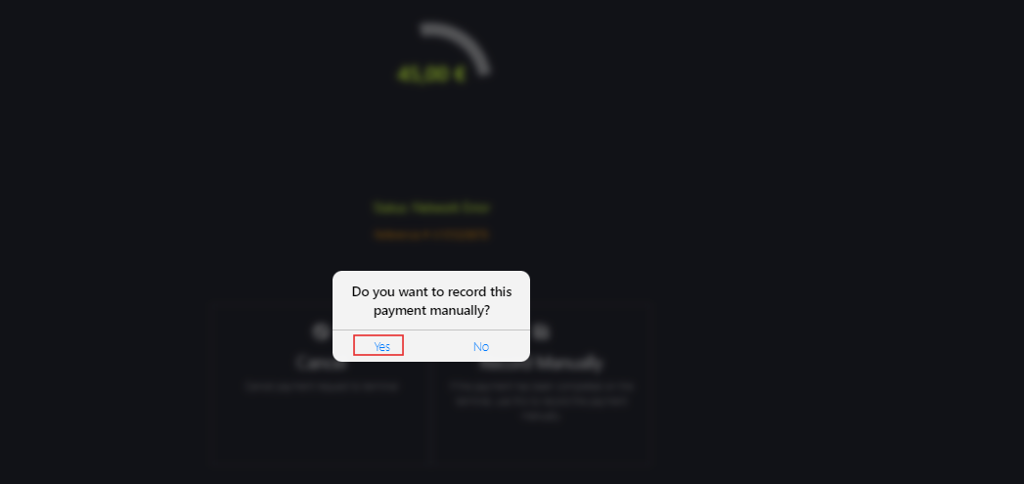
Click Yes on the dialog box.
-
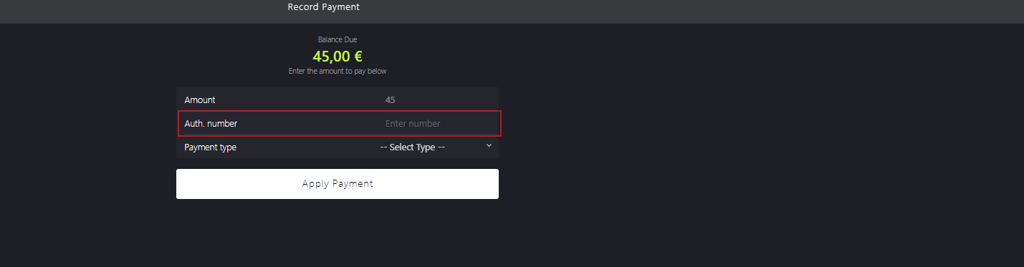
Enter the authorization number in Auth.number field.
-
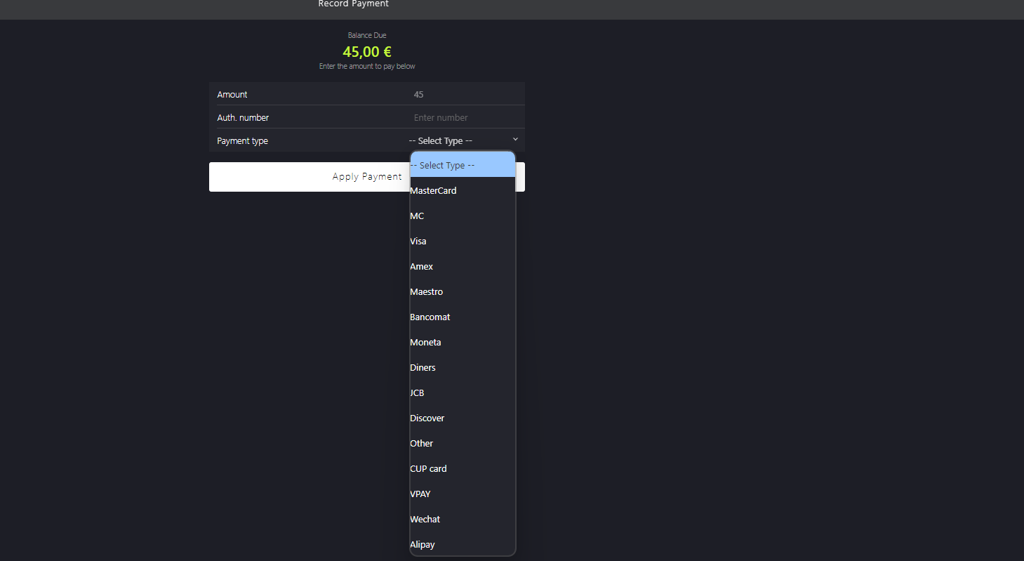
Select a Payment type from the dropdown menu.
-
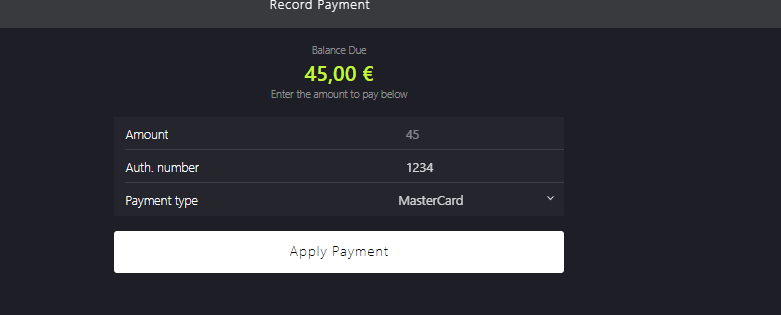
Click Apply Payment again to confirm the transaction.
-
Manually enter or scan the id into the Lottery ID field (optional).

-
Click Done to proceed with the payment.

-
Click Done to close the sale.