Voiding Global Blue Tax-Free Status on Return Order
Introduction
This topic explains how to void tax-free when processing a return order.
Steps to Void Tax-Free Status on Return Order
-
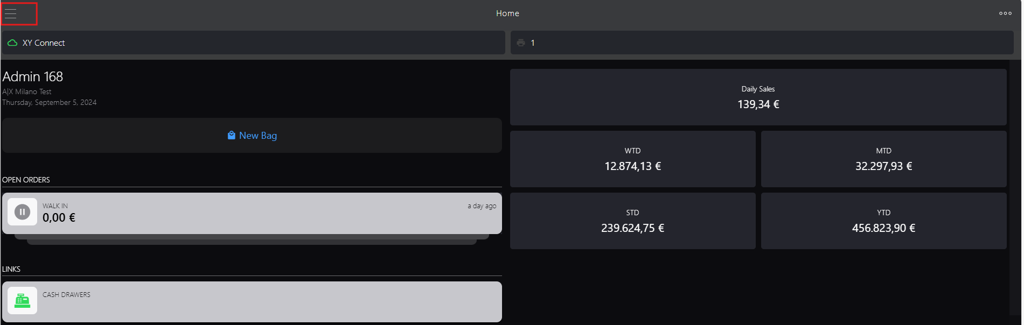
Click the burger menu.
-
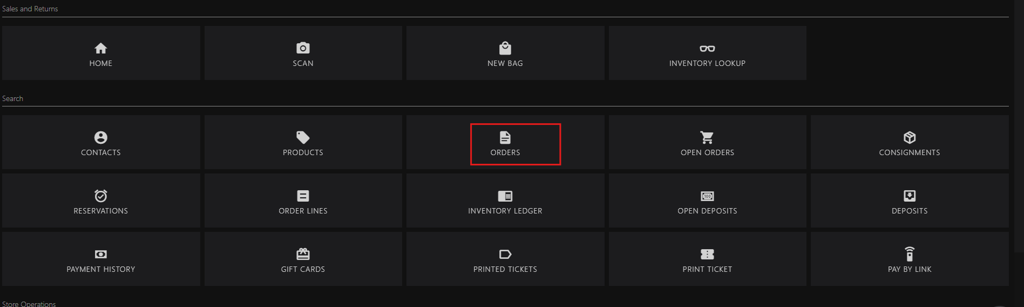
Click ORDERS.
-
You can search the order id using following options:
-
For an order with reference, initiate new search in the search box:
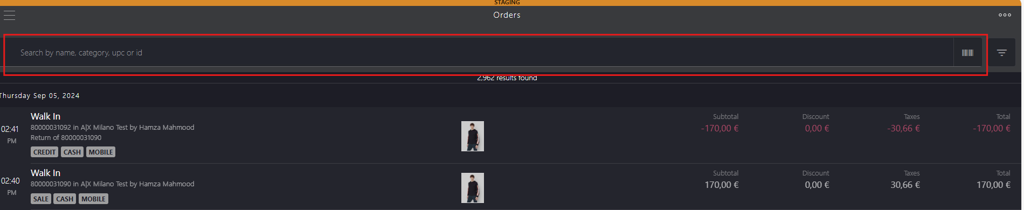
- Enter the following keywords:
- name
- category
- upc
- id
- Scan the order barcode
- Enter the following keywords:
-
For an order without reference, use the integrated filters at the upper right corner.

-
-
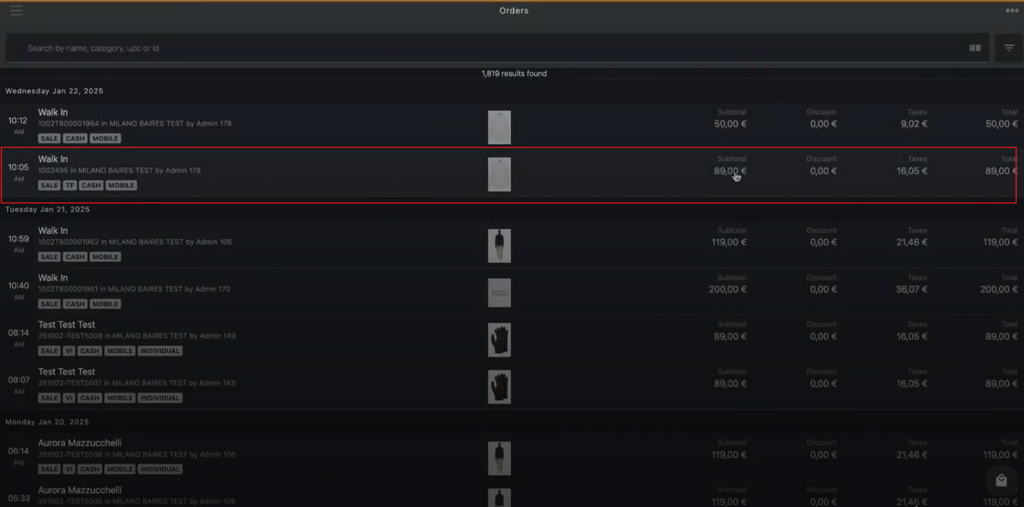
Click the order that customer wish to return.
-
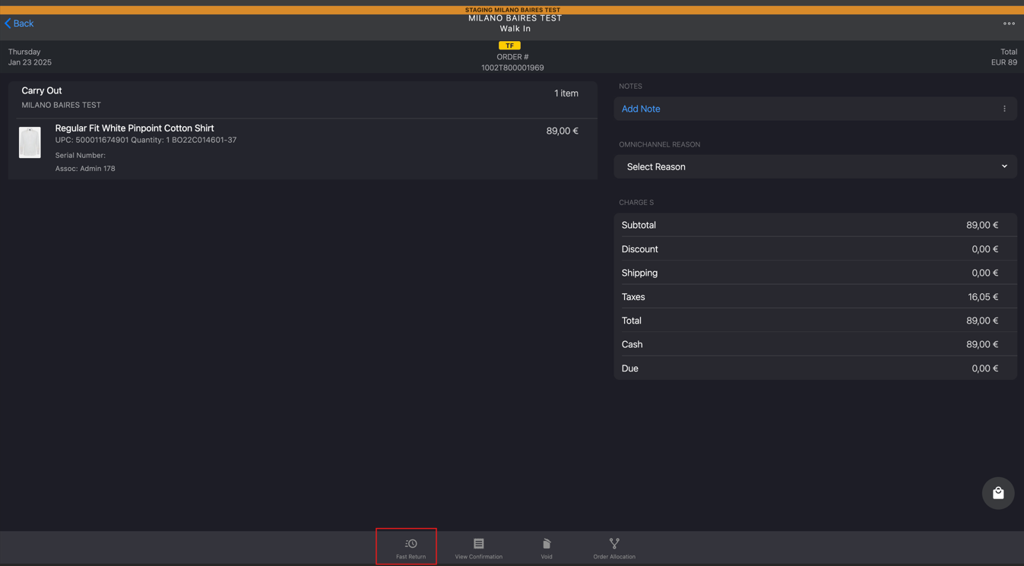
Click Fast Return in the bottom bar.
-
Click Yes in the Alert! dialog box to void tax-free the order.

Note: If the tax-free refund has already been processed, the system will not proceed to the return cart.
-
If the void is successful, the system will navigate you to orders page.
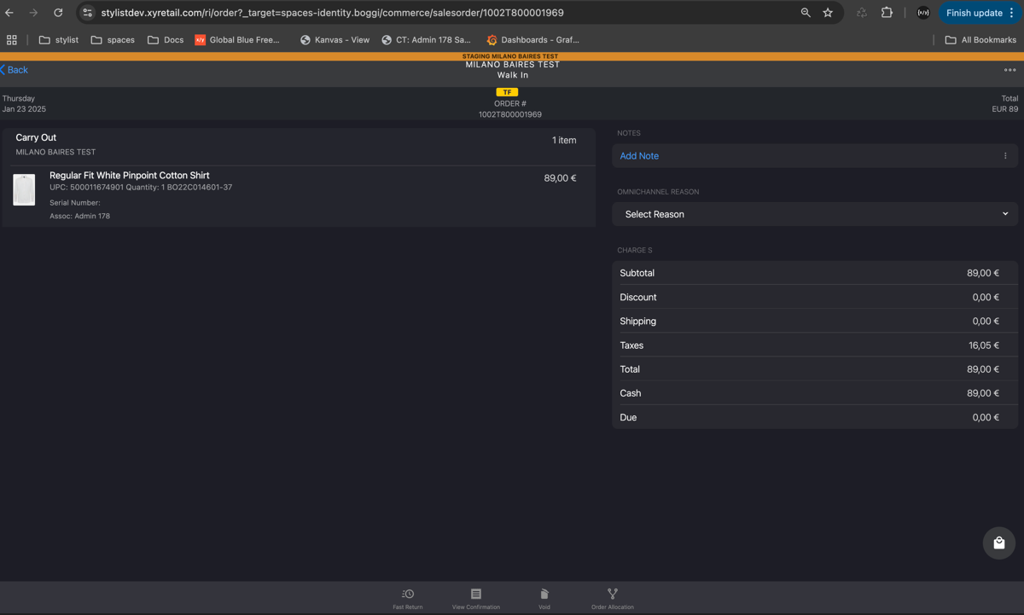
-
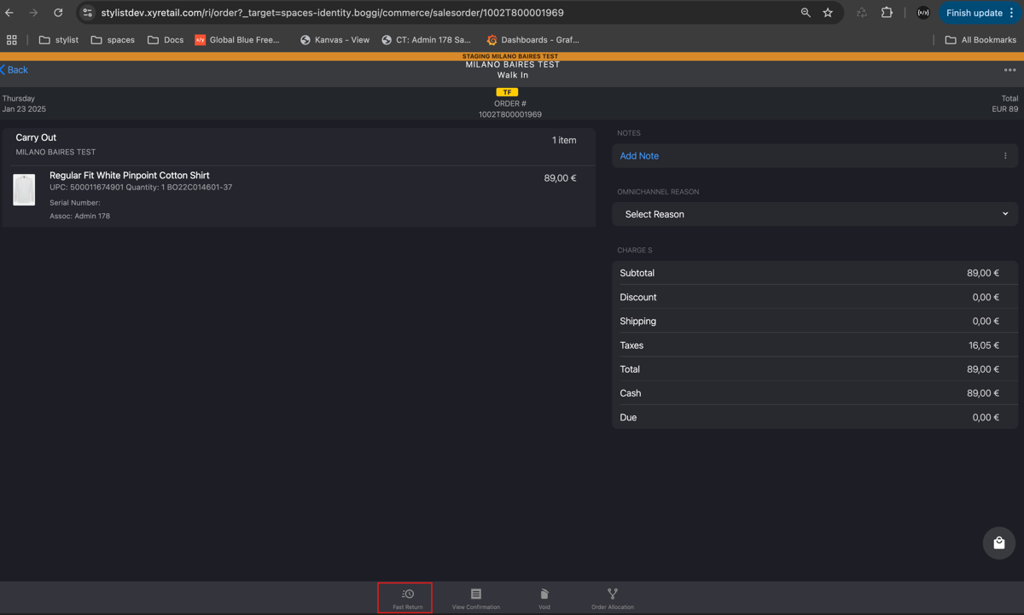
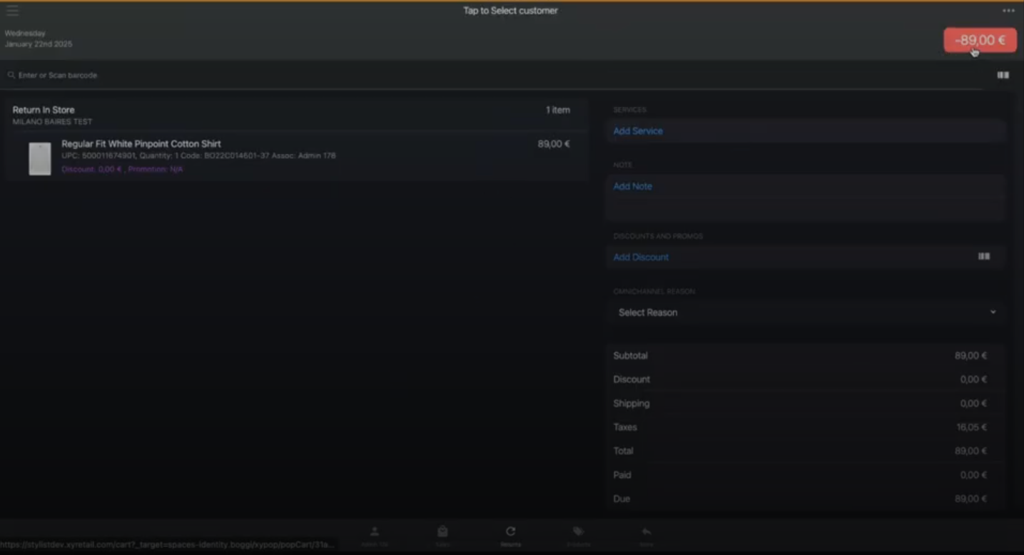
Click Fast Return again to navigate to return order cart.
-
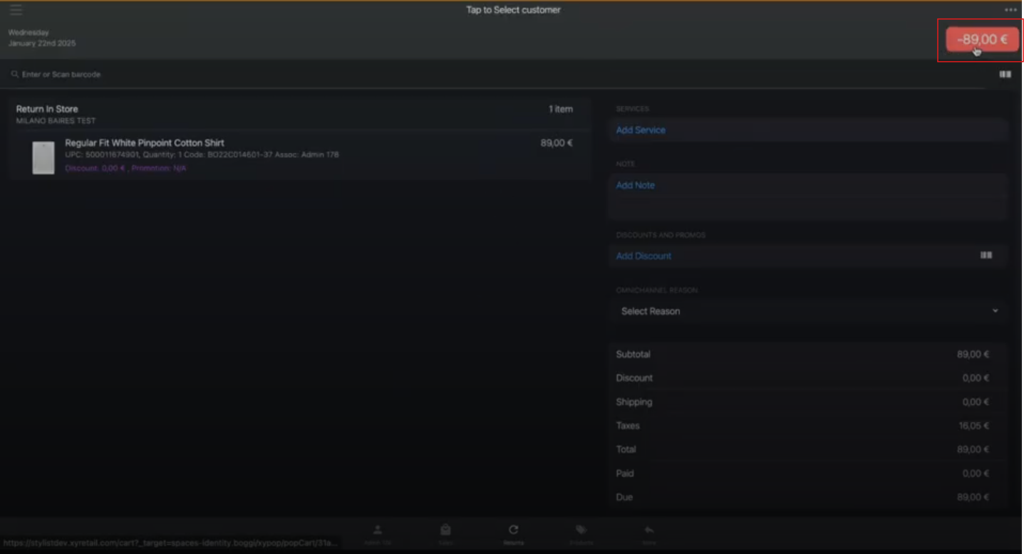
Click the red button located in the upper right corner.
-
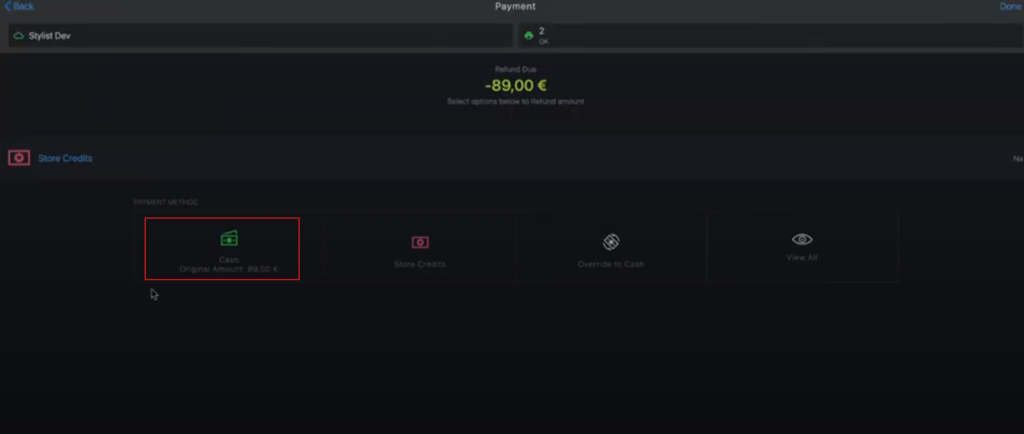
Select the preferred payment options.
Note: CASH option has been selected in this scenario.
-
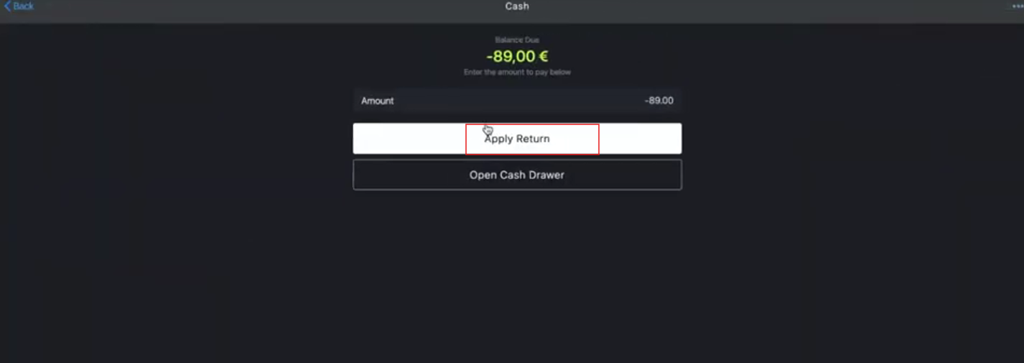
Click Apply Return.
-
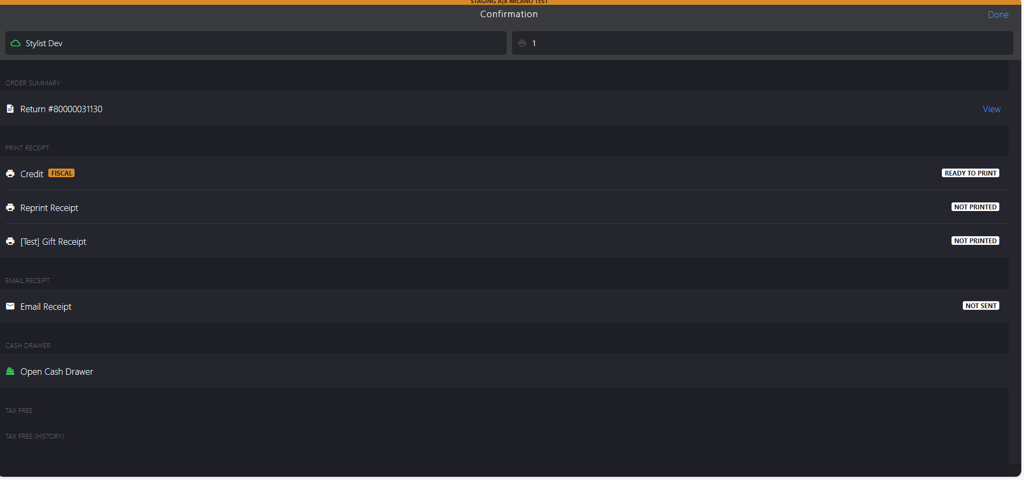
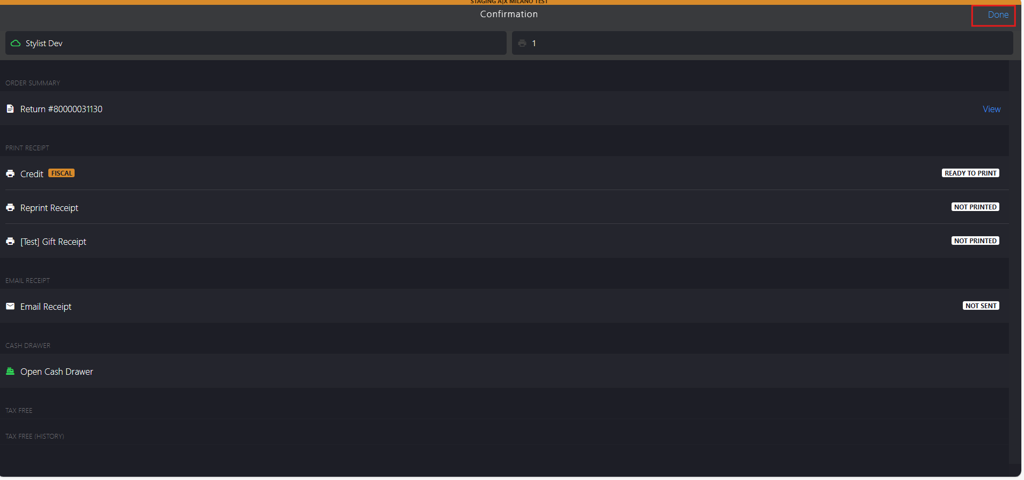
You will be directed to the Confirmation page where you can print the receipts.
-
Click Done to complete the return transaction.
-
Verify the generated VOID number.