Customer Insights Page Overview
Introduction
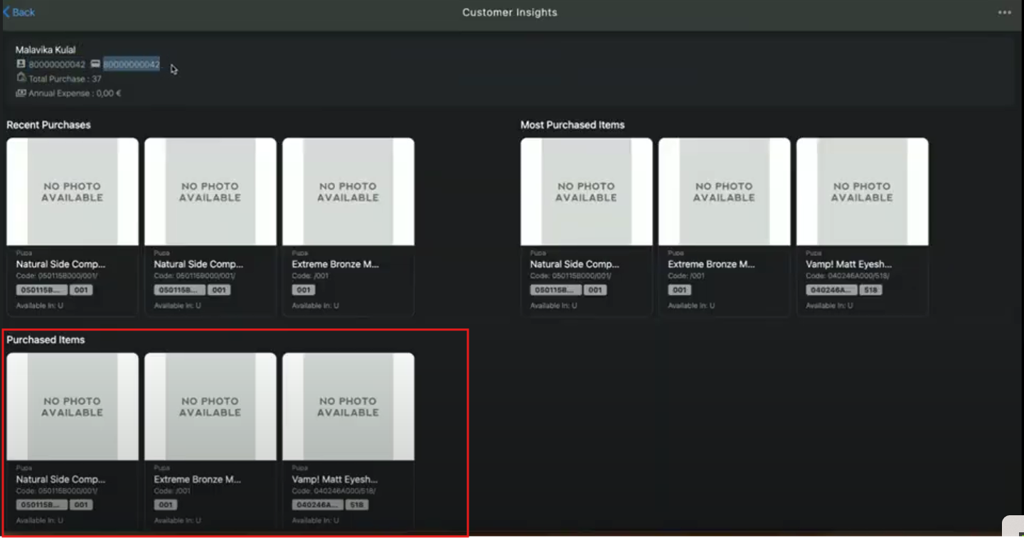
The Customer Insights feature page is divided into four sections, each highlighting different insights into customer purchasing behavior. The following sections are designed to help the sales associate quickly access the customer data to understand the customer’s different shopping requirements and enhance the shopping experience.
- Customer Information
- Recent Purchases
- Purchased Items
- Most Purchased Items
Customer Insights Page Overview
Customer Information
The Customer Information section displays following essential customer information:
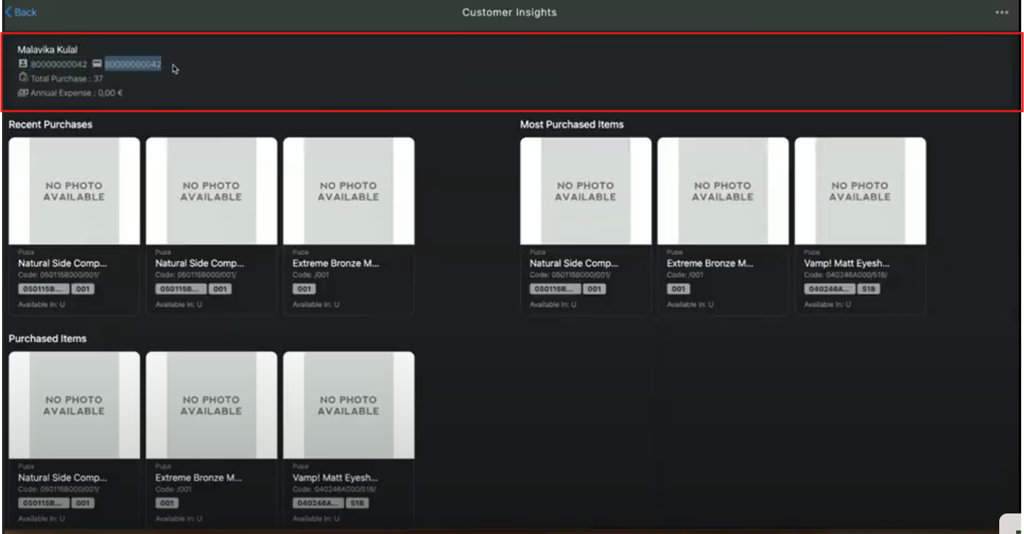
- Name: Displays the customer’s full name, for example, Thomas Shelby.
- Customer ID: Displays a unique number assigned to the customer, for example, 80000000042.
- Card Number: Displays the debit or credit card details, for example, 9578545203541.
- Total Purchase: Displays the total number of transactions of last 12 months.
- Annual Expense: Displays the total expenditure of last 12 months.
📝
- Digital Card Number: If a store does not have a physical card (such as a Member, Membership, or Customer Card) available at the time of registration, a Digital Card Number identical to the newly generated Customer ID will be issued. When the physical card becomes available, the customer will receive the new card, and the previously issued Digital Card number will no longer be valid.
- Purchase and Annual Expense History: The total frequency of the purchase and annual expense for the last 12 months is considered between the “From Date” and the “Current Date”.
Example:
If today's date is 12 December 2024, the purchase and annual expense history will be considered from 12 December 2023 to 12 December 2024.
- The system creates the customer ID in incremental order from the previously created customer ID.
Recent Purchases
The Recent Purchases section displays the customer’s three most recent purchases, providing a insight into customer’s recent shopping activity.
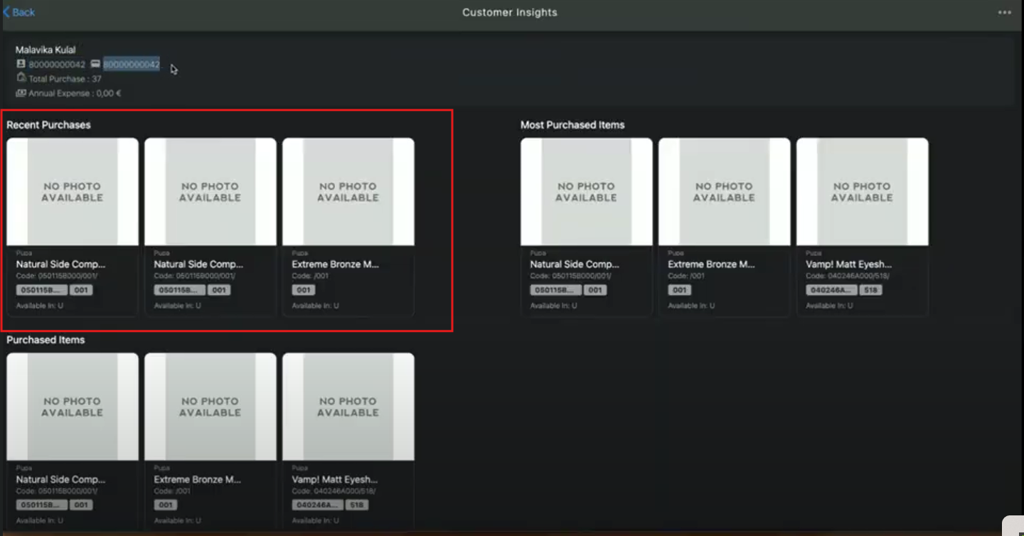
📝 The Recent Purchases section will not display the same item more than once if the item has been purchased multiple times in the same time frame.
Most Purchased Items
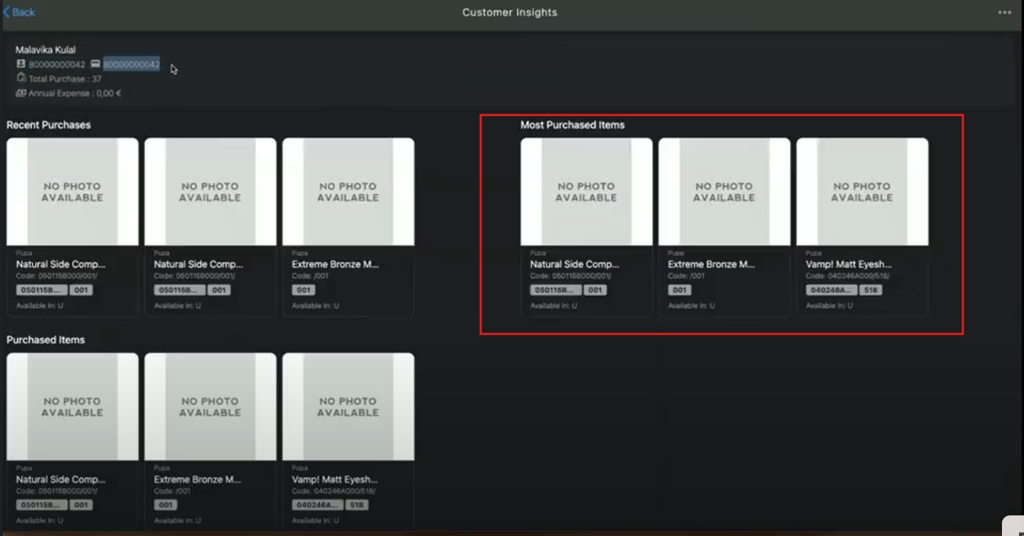
The Most Purchased Items sections displays the customer’s frequently purchased items, providing a insight into customer’s preferences and helping to create personalized product suggestions.
Purchased Items
The Purchased Items section displays complete list of the customer’s purchase history.