Item Feed
Introduction
The Item Feed section provides a chronological log of all activities performed on the return order. It captures each step in the return lifecycle, including system actions and user-triggered events, along with timestamps and status updates. This section enables users to track the progression of the return, audit actions taken, and understand the current state of processing.
Item Feed UI Reference
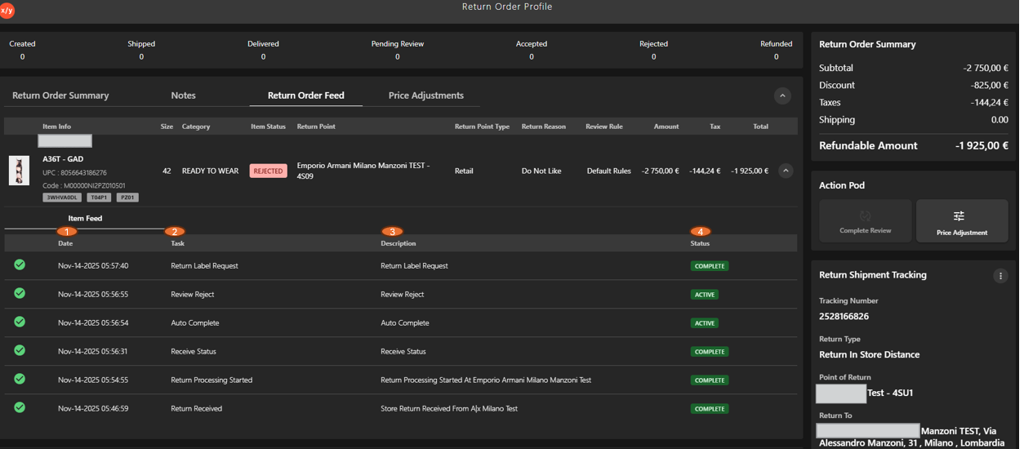
The following table describes the features that support common follow-up tasks.
| Callout ID | Feature | Description |
|---|---|---|
| 1 | Date | Displays the date and time when the activity or event occurred. |
| 2 | Task | Indicates the action performed in the return process (for example, Return Label Request, Review Reject). |
| 3 | Description | Provides additional details about the activity or system event. |
| 4 | Status | Shows the current state of the activity (for example, Complete, Active). |