Shipment Action Menu
Introduction
The Shipment Action Menu provides quick access to additional shipment-related actions for the selected order. It allows users to view shipment events, shipment details, and the overall processing flow to support tracking and investigation tasks.
Shipment Action Menu – UI Reference Table
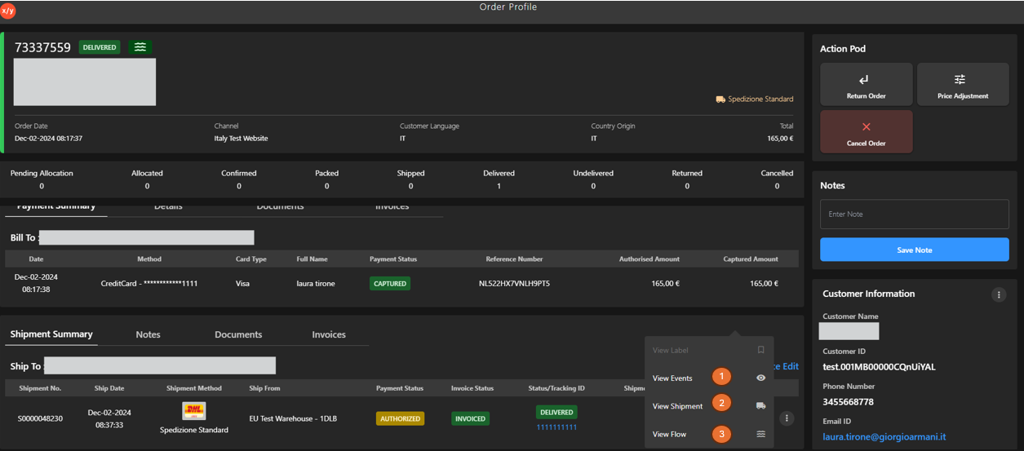
The following table describes the features that support common follow-up tasks.
| Callout ID | Feature | Description |
|---|---|---|
| 1 | View Events | Click View Events to see the order summary and Item feed, which display a chronological history of all order item activities to help users track processing steps, status changes, and system updates. |
| 2 | View Shipment | Click View Shipment to view detailed shipment information. |
| 3 | View Flow | Click View Flow to view the shipment processing workflow and status flow. |