View Shipment
Introduction
The View Shipment screen displays detailed information about the selected shipment.
View Shipment – UI Reference Table
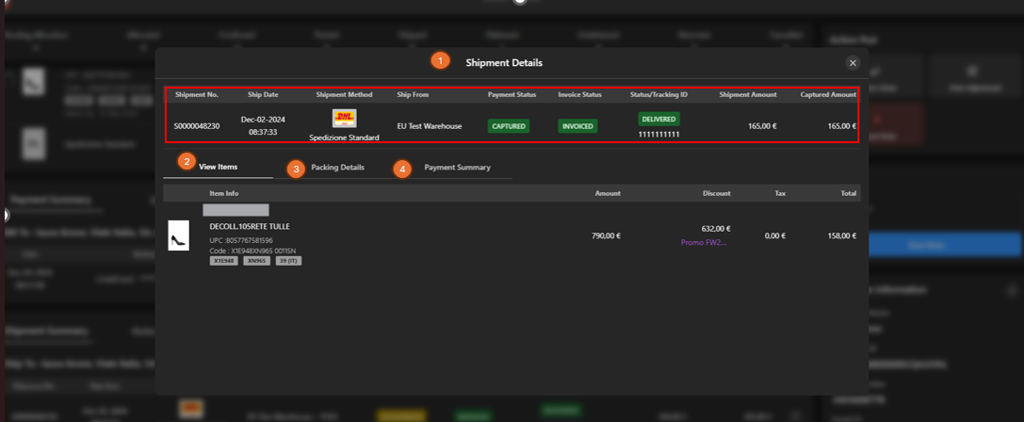
The following table describes the features that support common follow-up tasks.
| Callout ID | Feature | Description |
|---|---|---|
| 1 | Shipment Details | Display key shipment information, including shipment number, date, method, origin, payment status, invoice status, tracking ID, and amounts. |
| 2 | View Items | Click View Items to display item-level details included in the shipment. |
| 3 | Packing Details | Click Packing Details to view packing-related information. |
| 4 | Payment Summary | Click Payment Summary to view payment and pricing details for the shipment. |