Managing Shipment
Introduction
The Managing Shipment section provides a consolidated view of shipment-related information for the selected order. It enables users to review shipment details, track delivery status, verify financial values, and navigate across shipment-related tabs such as Notes, Documents, and Invoices.
Managing Shipment UI Reference Table
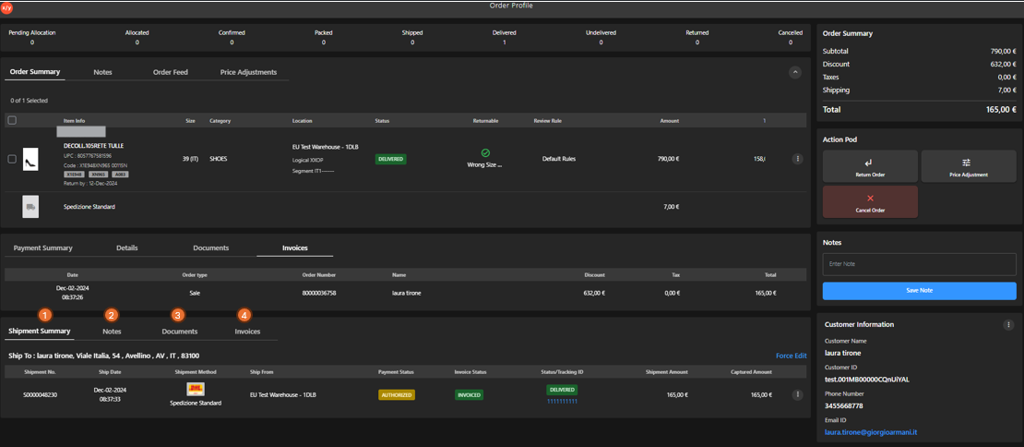
The following table describes the features that support common follow-up tasks.
| Callout ID | Feature | Description |
|---|---|---|
| 1 | Shipment Summary | Click Shipment Summary to view shipment-level details, including shipping method, status, and amounts. |
| 2 | Notes | Click Notes to view notes associated with the shipment. |
| 3 | Documents | Click Documents to view shipment-related documents and references. |
| 4 | Invoices | Click Invoices to view invoice details associated with the shipment. |