Order Item Actions Menu
Introduction
The Item Actions menu provides quick access to additional actions that can be performed on an order item. This menu helps users manage item-level activities such as reviewing events, adding notes, and processing returns.
Item Actions Menu – UI Reference Table
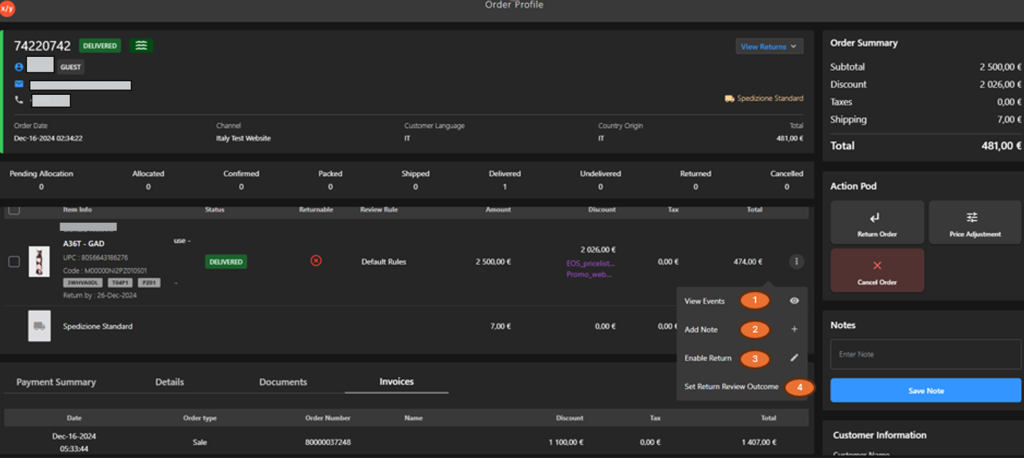
The following table describes the item features that support common follow-up tasks.
| Callout ID | Feature | Description |
|---|---|---|
| 1 | View Events | Click to see the Item feed, showing a chronological history of all order item activities to help users track processing steps, status changes, and system updates. |
| 2 | Add Note | Add notes or comments for the item. |
| 3 | Enable Return | Enable return processing for the item. |
| 4 | Return Review Outcome | Set or update return review outcome. |