Order Lines Filter
Introduction
The Order Lines Filter provides a powerful set of tools to help you quickly locate and manage specific order lines within the Order Management System.
Sorting
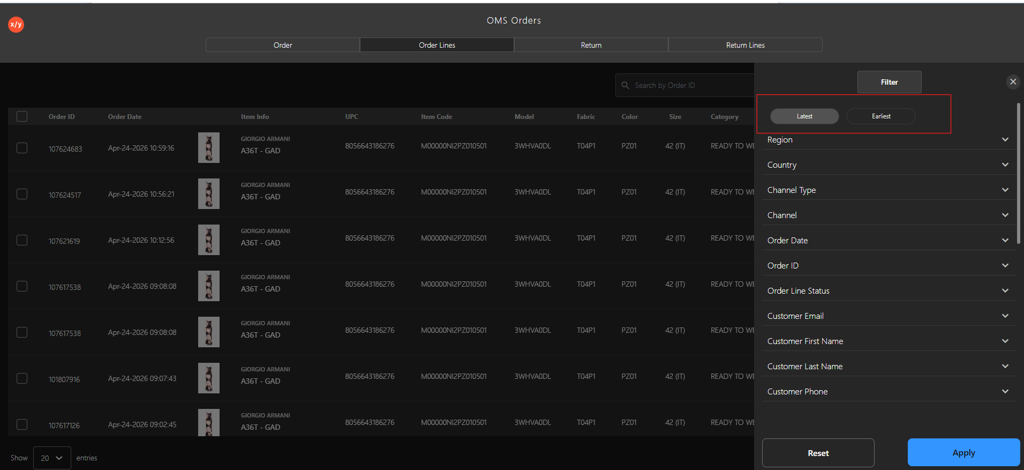
| Sorting Criteria | Description |
|---|---|
| Latest | Select the Latest option to view orders from the most recent date to the oldest. |
| Earliest | Select the Earliest option to view orders from the oldest date to the most recent. |
Filter Options
| Filter Category | Description |
|---|---|
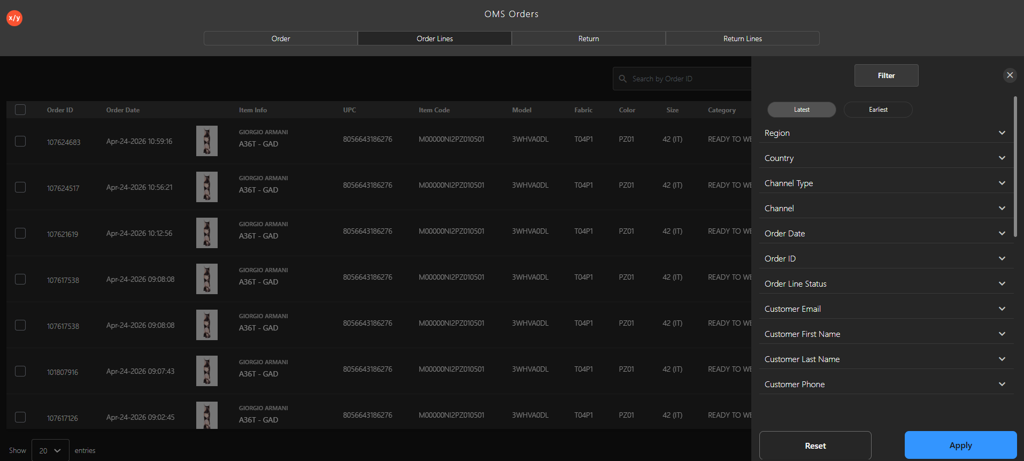
| Region | Customize the order list by entering the region name in the Search by Region field or selecting the relevant region checkbox. |
| Country | Customize the order list by entering the country name in the Search by Country field or selecting the relevant country checkbox. |
| Channel Type | Customize the order list by entering the channel type in the Search by Channel Type field or selecting the relevant channel type checkbox. |
| Channel | Customize the order list by entering the channel name in the Search by Channel field or selecting the relevant channel checkbox. |
| Order Date | Customize the order list by selecting the required date range to display orders within the specified period. |
| Order ID | Customize the order list by entering the order ID in the Enter Order ID field. |
| Order Line Status | Customize the order list by entering the order line status in the Search by Order Line Status field or selecting the relevant status checkbox. |
| Customer Email | Customize the order list for a specific customer by entering the email address in the Enter Customer Email field. |
| Customer First Name | Customize the order list for a specific customer by entering the customer first name in the Enter Customer First Name field. |
| Customer Last Name | Customize the order list for a specific customer by entering the customer last name in the Enter Customer Last Name field. |
| Customer Phone | Customize the order list for a specific customer by entering the customer phone number in the Enter Customer Phone field. |
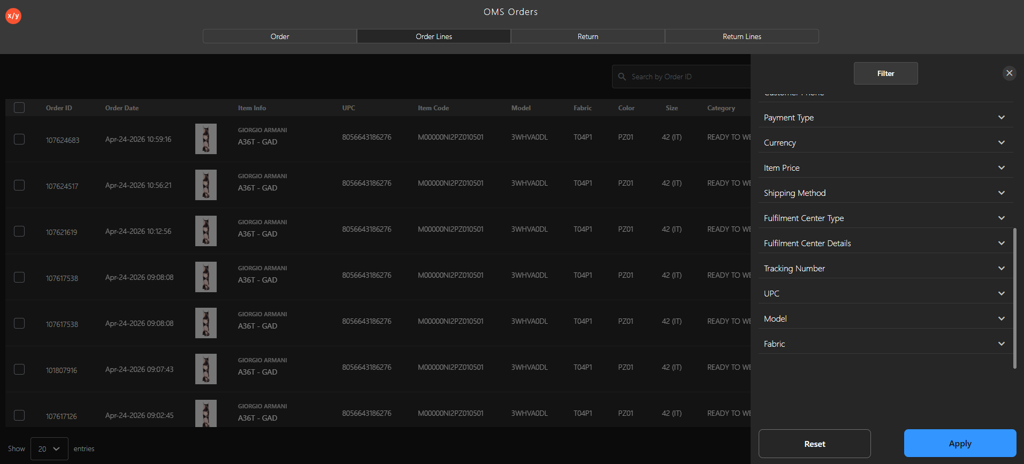
| Payment Type | Customize the order list by entering the payment type in the Search by Payment Type field or selecting the relevant payment type checkbox. |
| Currency | Customize the order list by entering the currency in the Search by Currency field or selecting the relevant currency checkbox. |
| Item Price | Customize the order list by selecting the price range using the slider or entering minimum and maximum values. |
| Shipping Method | Customize the order list by entering the shipping method in the Search by Shipping Method field or selecting the relevant shipping method checkbox. |
| Fulfillment Center Type | Customize the order list by entering the fulfillment center type in the Search by Fulfillment Center Type field or selecting the relevant option. |
| Fulfillment Center Details | Customize the order list by entering the fulfillment center in the Search by Fulfillment Center Details field or selecting the relevant center checkbox. |
| Tracking Number | Customize the order list by entering the tracking number in the Enter Tracking Number field. |
| UPC | Customize the order list by entering the UPC in the Search by UPC field or selecting the relevant UPC checkbox. |
| Model | Customize the order list by entering the model in the Search by Model field or selecting the relevant model checkbox. |
| Fabric | Customize the order list by entering the fabric in the Search by Fabric field or selecting the relevant fabric checkbox. |
Action Buttons
| Action Buttons | Description |
|---|---|
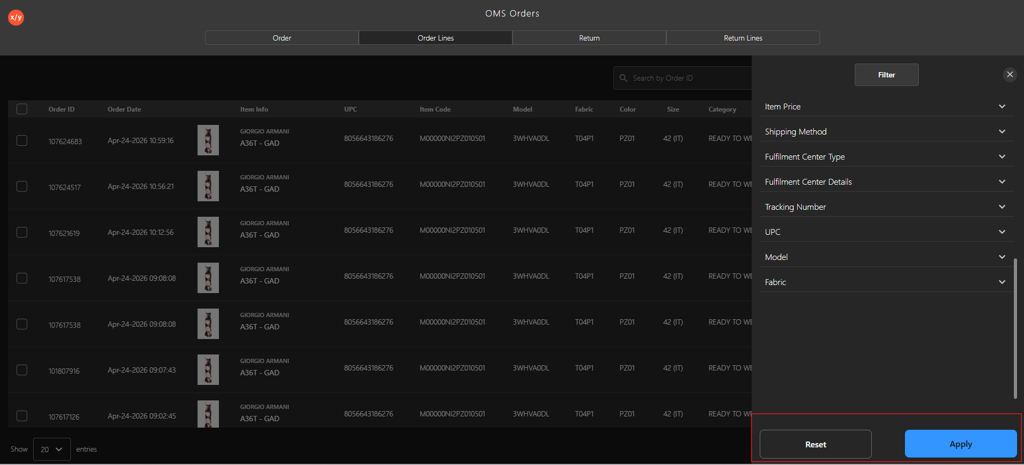
| Apply | Click the Apply button to apply filter criteria and display the customized return order list. |
| Reset | Click the Reset button to remove all the applied filters and return to default view. |