Searching for a Return Order in the Return Tab
Introduction
The Return dashboard allows users to locate return orders using the Search box
Steps to Search a Return Order
-
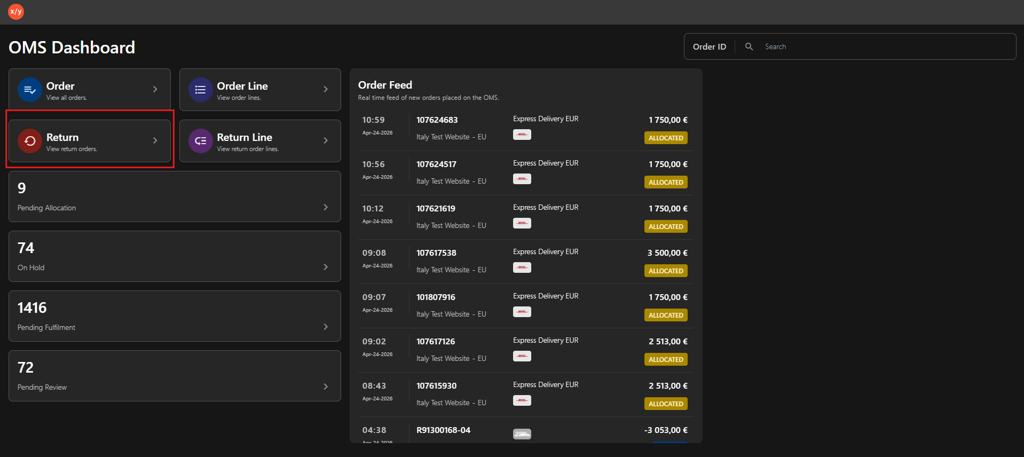
Click Return.
-
Select an option in the Return tab.
a. Search Boxi. Enter the Return Order ID in the Search by Return Order ID field.
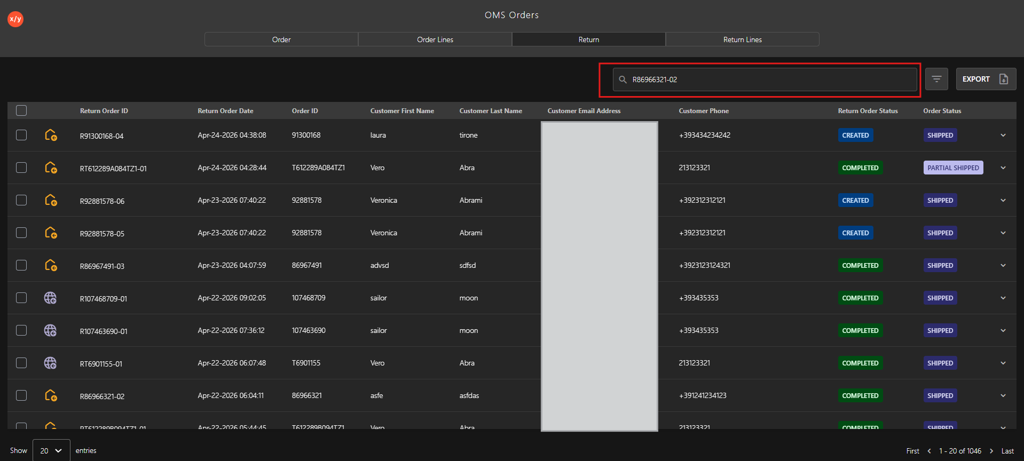
ii. Press Enter to display the order details.
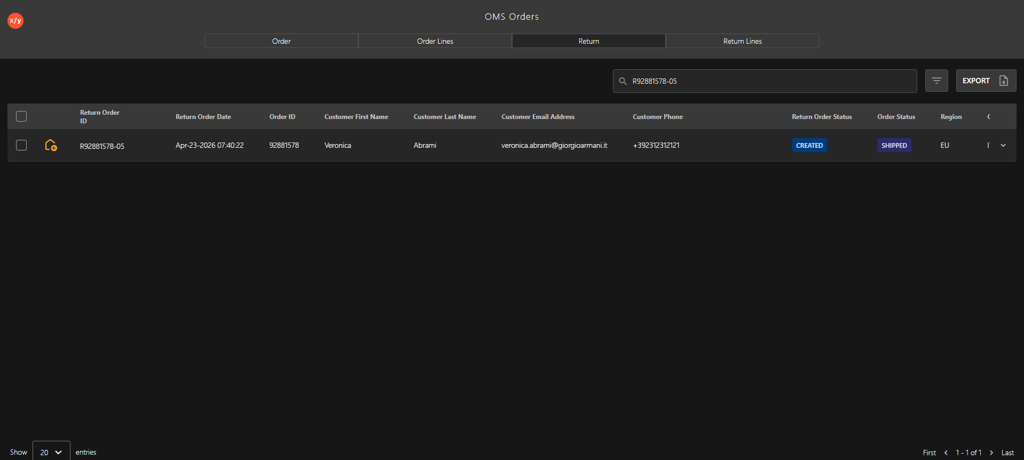 b. Filter
i. Click the Filter icon.
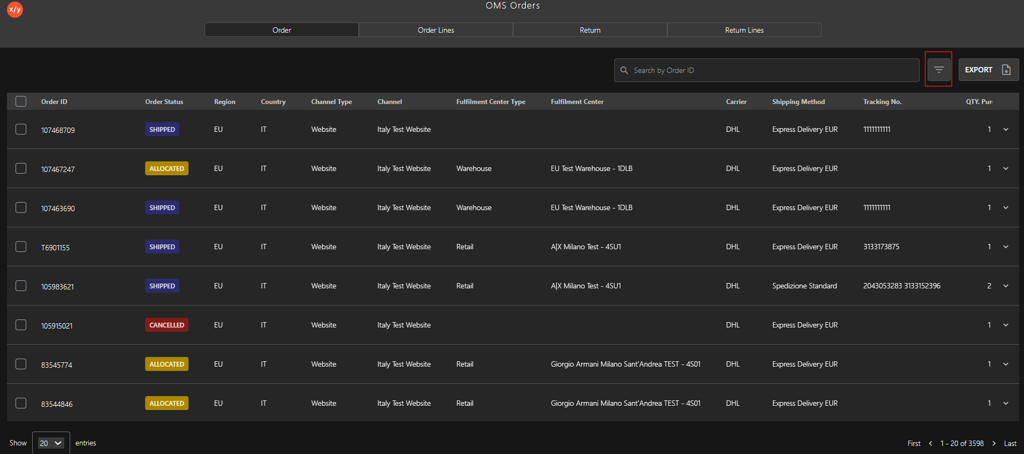
ii. Select one of the following filter category:
- Return Order ID
- Customer Email
- Customer First Name
- Customer Last Name
- Customer Phone
- Return Tracking Number
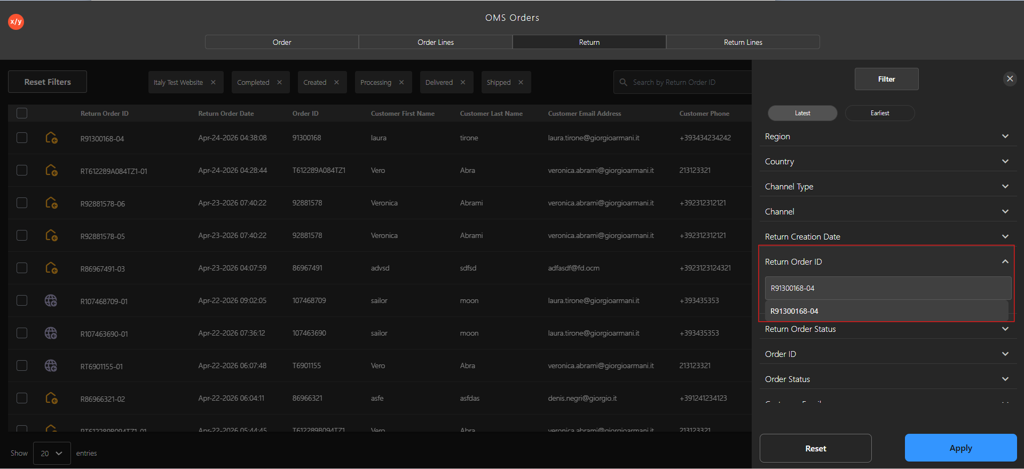
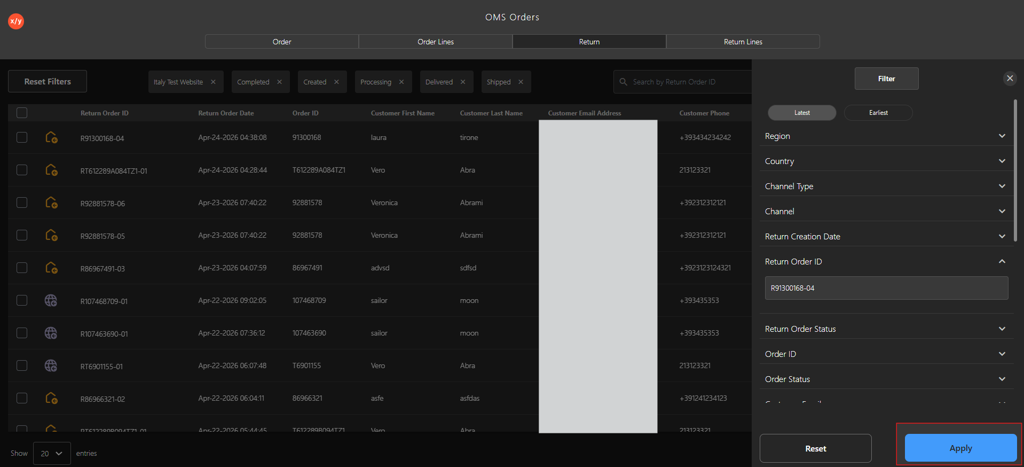
iii. Click Apply to view the filtered results.
-
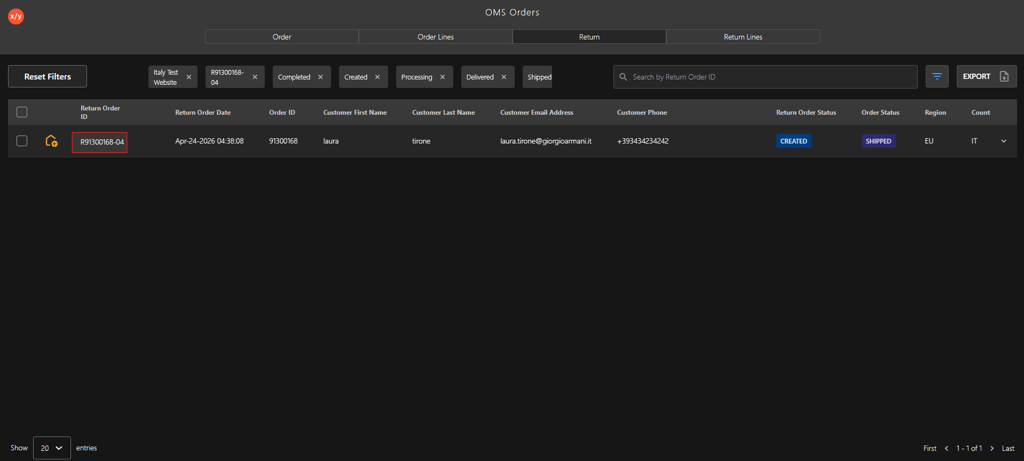
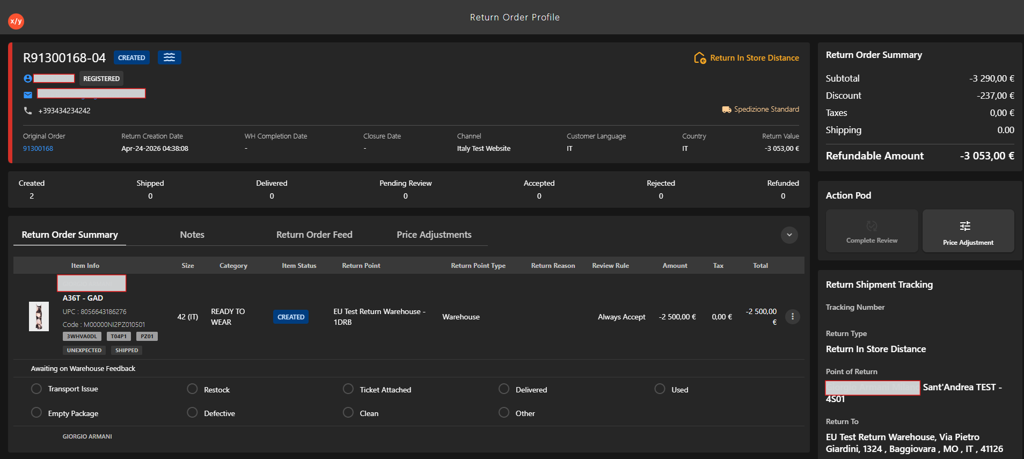
Click the Return Order ID to verify the order details.