Accessing the Return Item Flow
Introduction
The Item Feed section within the Return Order Profile provides a detailed, chronological view of all actions performed on a specific return item. It enables users to track the progress of return processing at the item level, including receipt, review, credit memo generation, and completion status.
Steps to Access the Return Item Feed
-
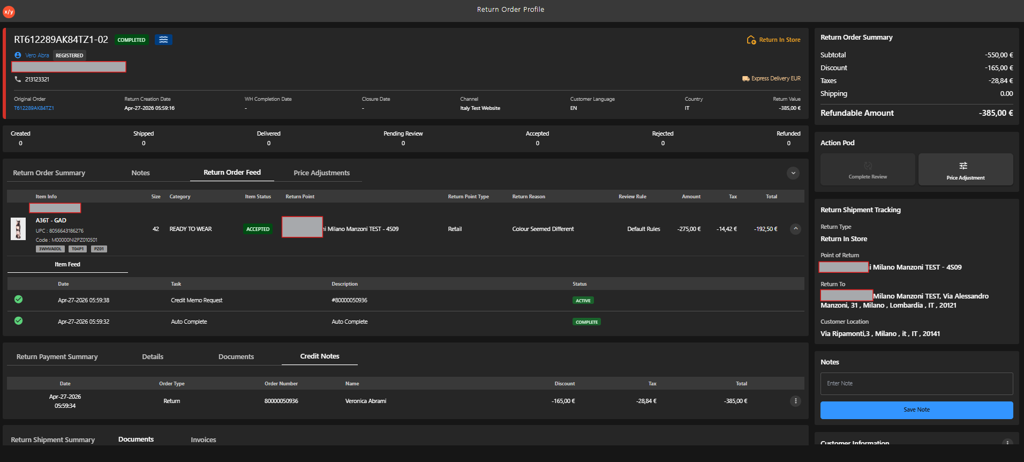
Navigate to the Return Order Profile.
-
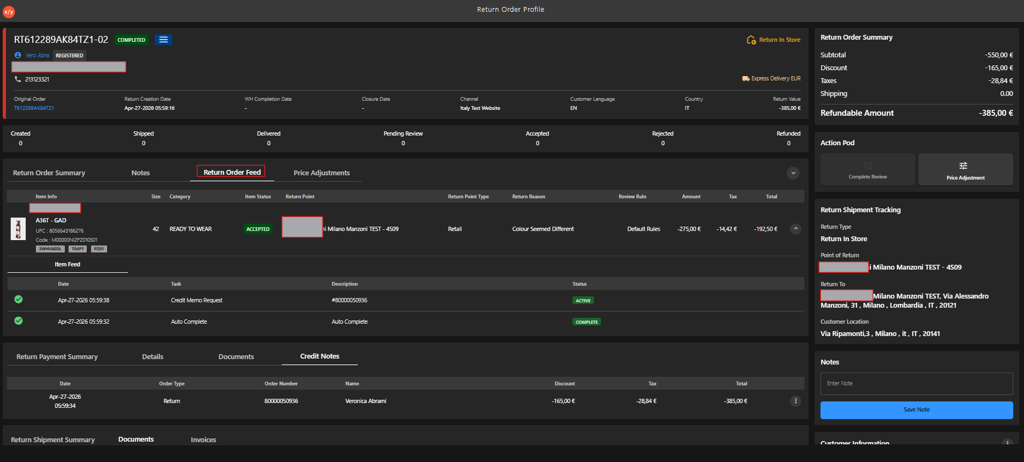
Click the Return Order Feed tab.
-
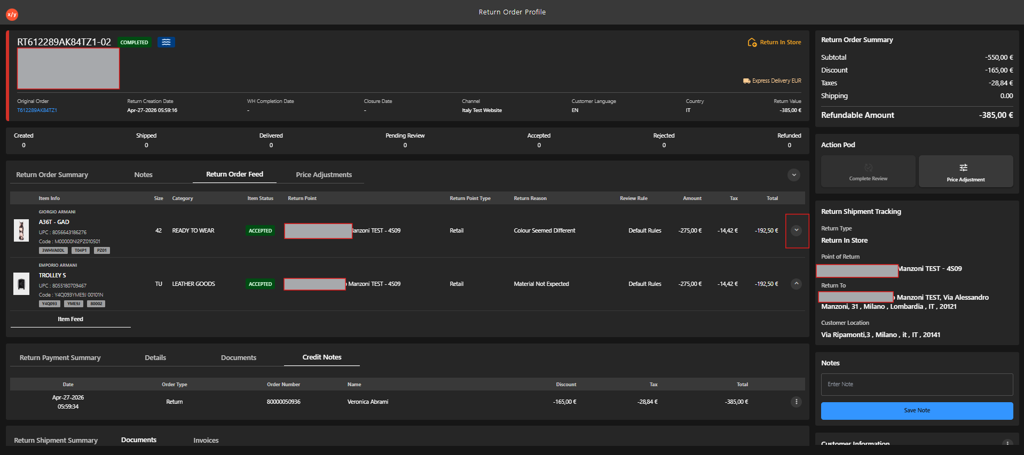
Click expand in the Item Feed below the selected item.
-
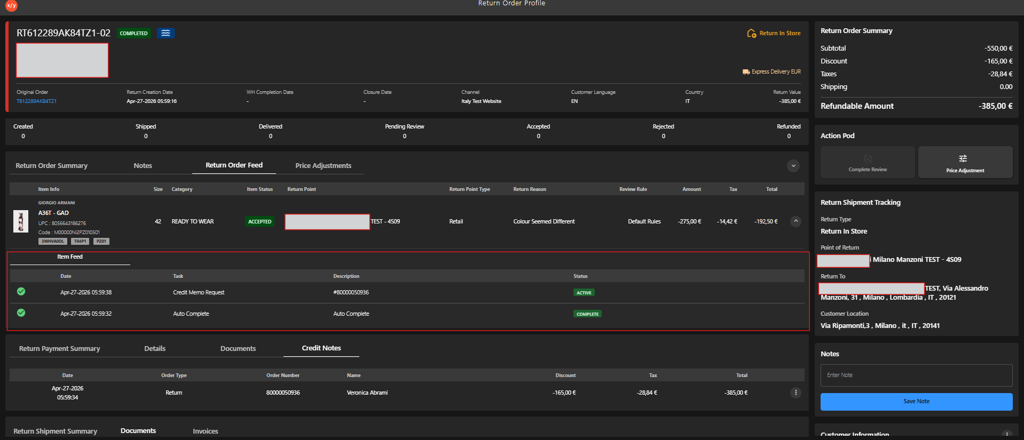
Review the activity timeline for the item, including:
- Date — Indicates when the activity was performed.
- Task — Displays the action performed (for example, Return Received, Review Accept, Credit Memo Request, Auto Complete).
- Description — Provides additional context or reference details.
- Status — Shows the current state (Active or Complete).
-
Verify that all tasks for the item line are marked as Complete.