Shipment Address Validation
Introduction
This topic explains how to check address handles when an order is ON Hold due to an incorrect delivery address.
Steps to address validation check
-
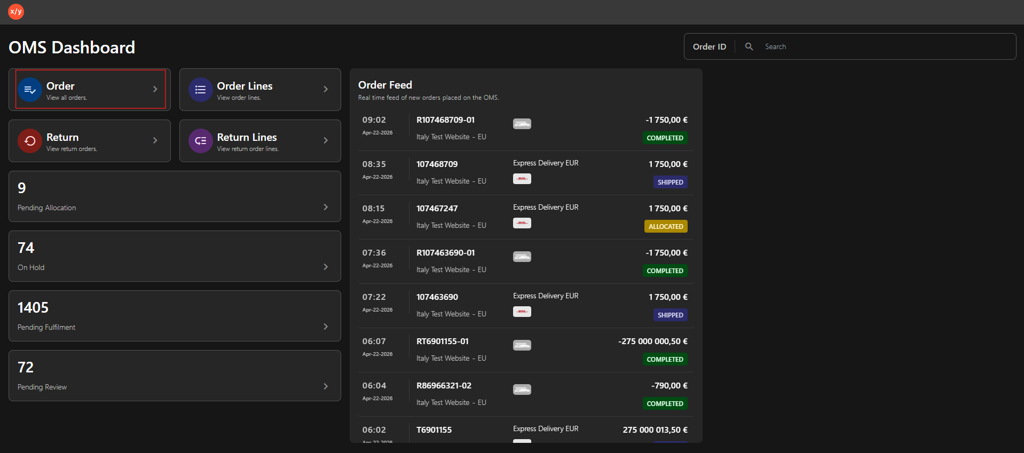
Click Order.
-
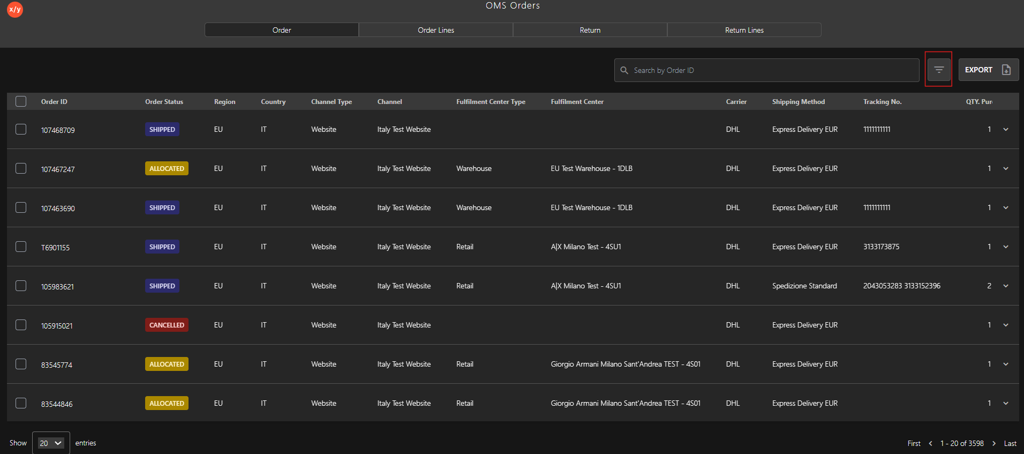
Click the Filter icon.
-
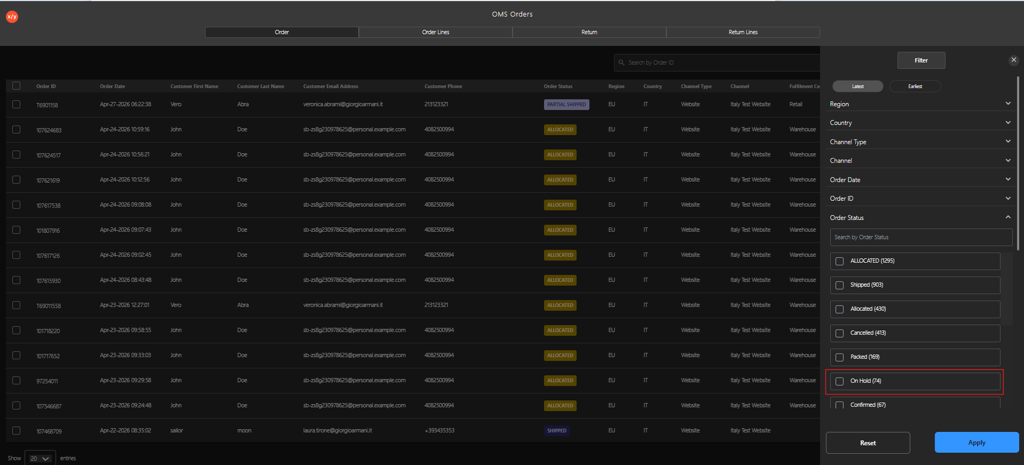
Select ON Hold.
-
Click Apply.
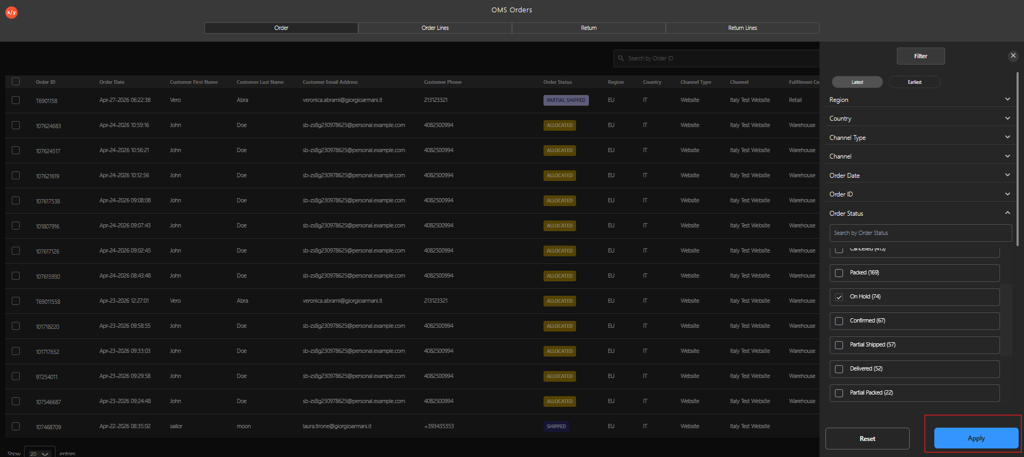
-
Click Order ID.
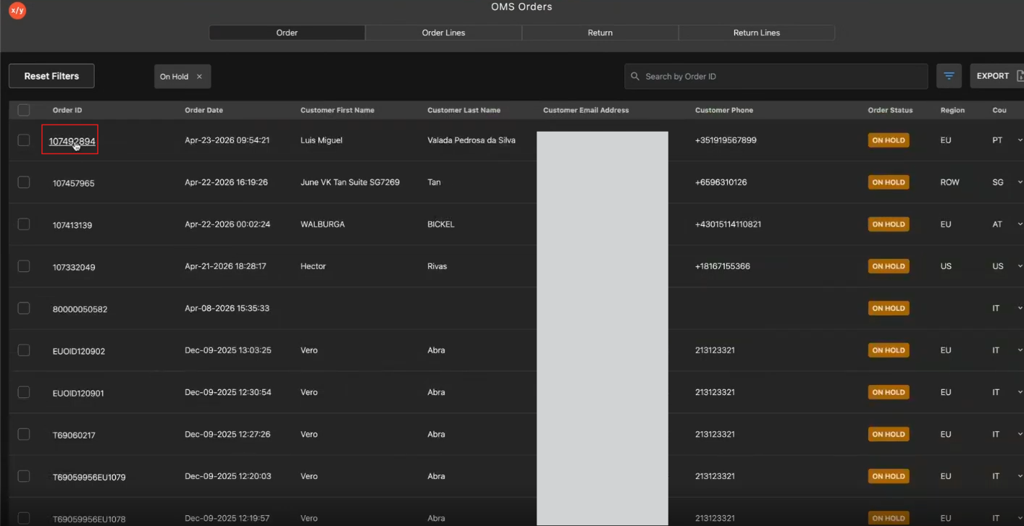
-
Click the Order Flow icon.
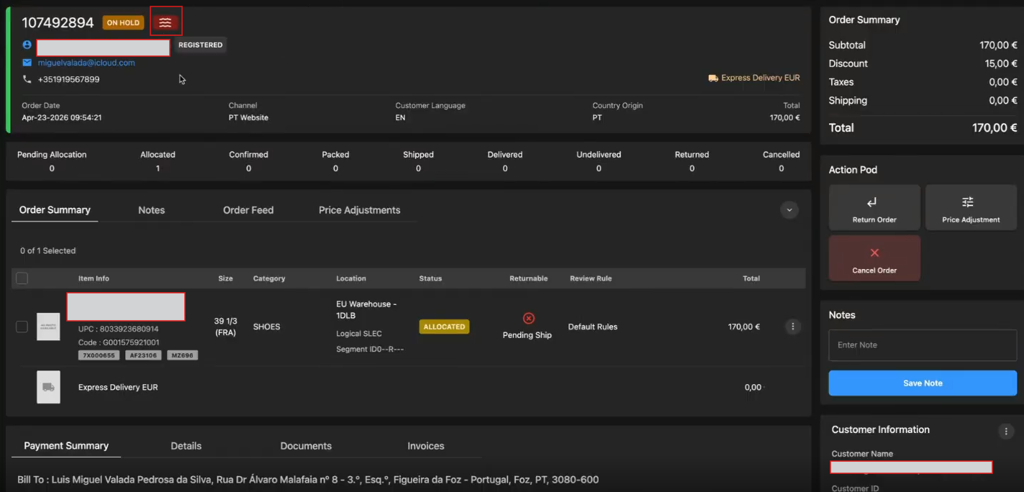
-
Verify the Address Validation Task shows Error.
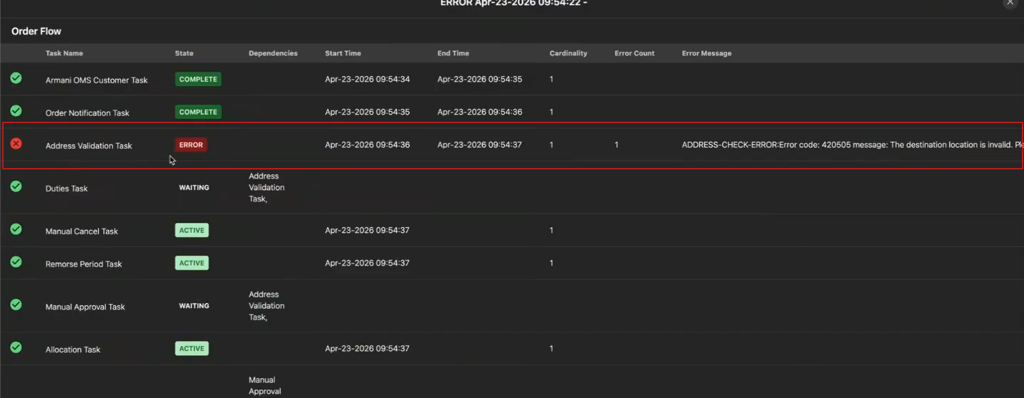
-
Contact the customer to get the correct delivery address.
-
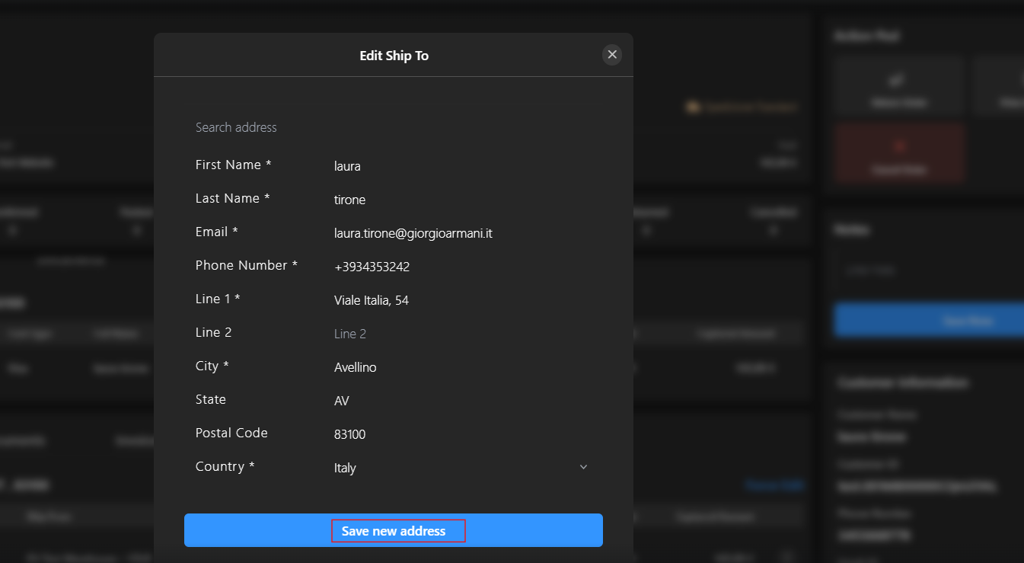
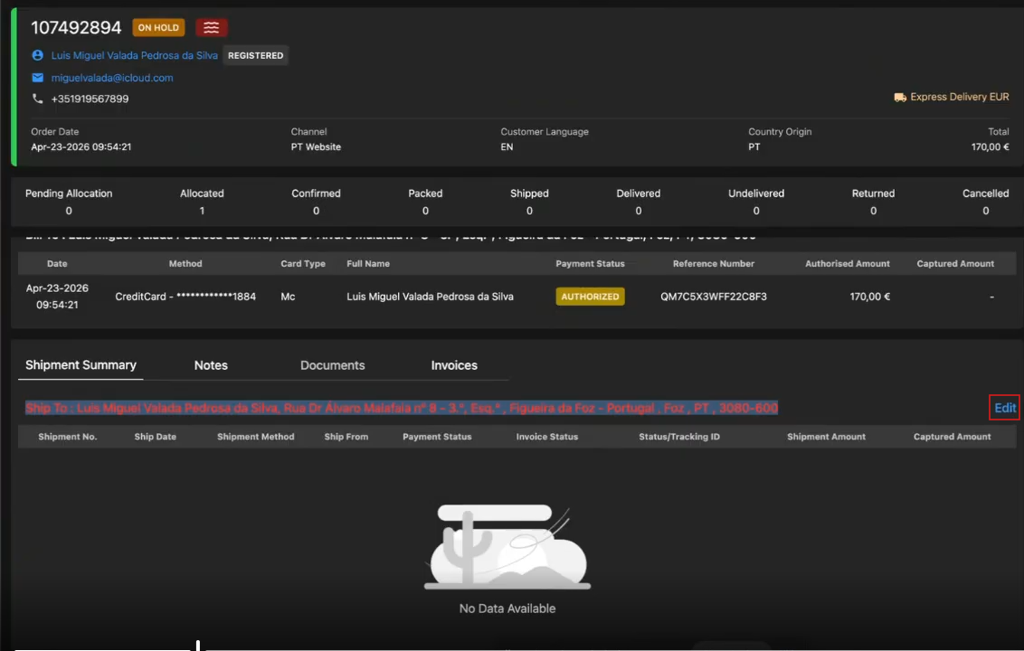
Click Edit to update the shipment address.
-
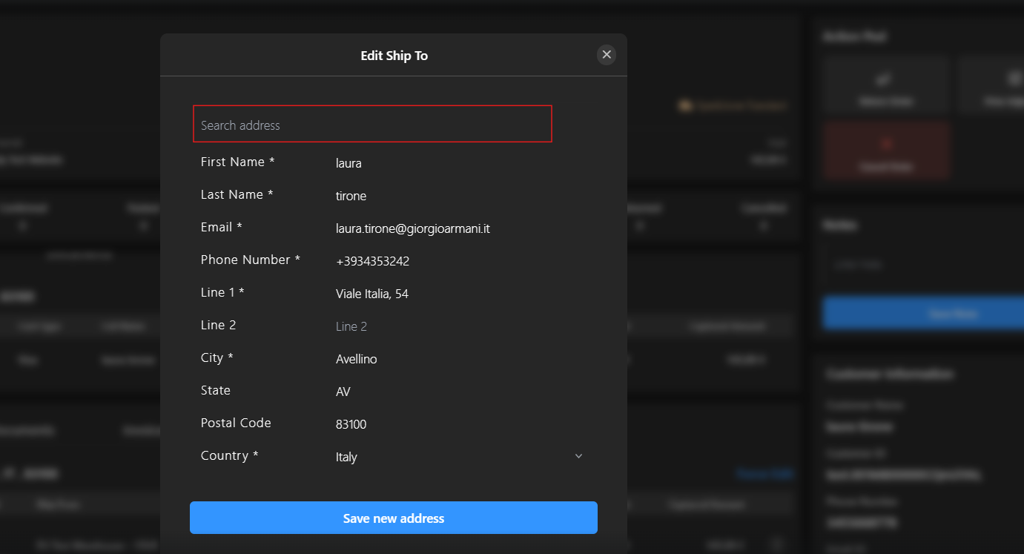
Enter the required address details in the search field to locate the correct address.
-
Click Save new address to apply the changes.