Setting Return Review Outcome
Introduction
This procedure explains how to define the return review outcome for an order item. It allows users to determine how a return request is processed based on predefined options.
Steps to Enable Return Review Outcome
-
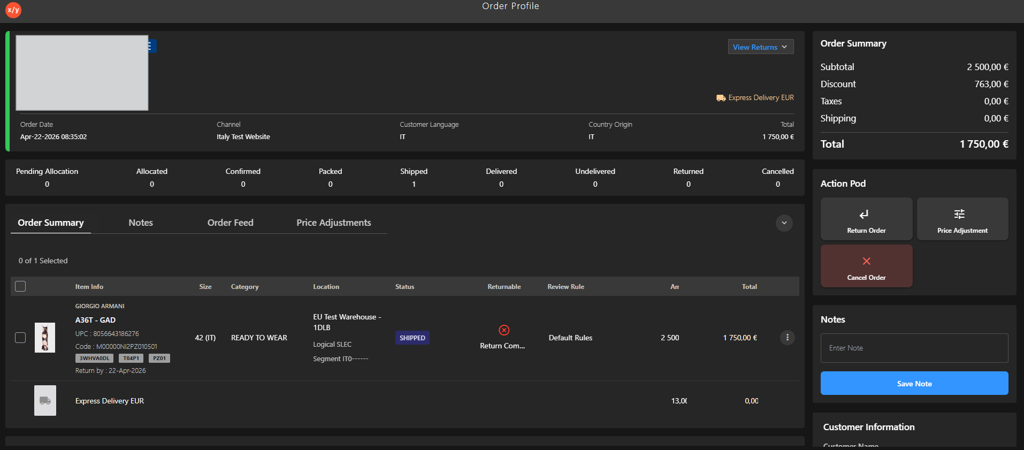
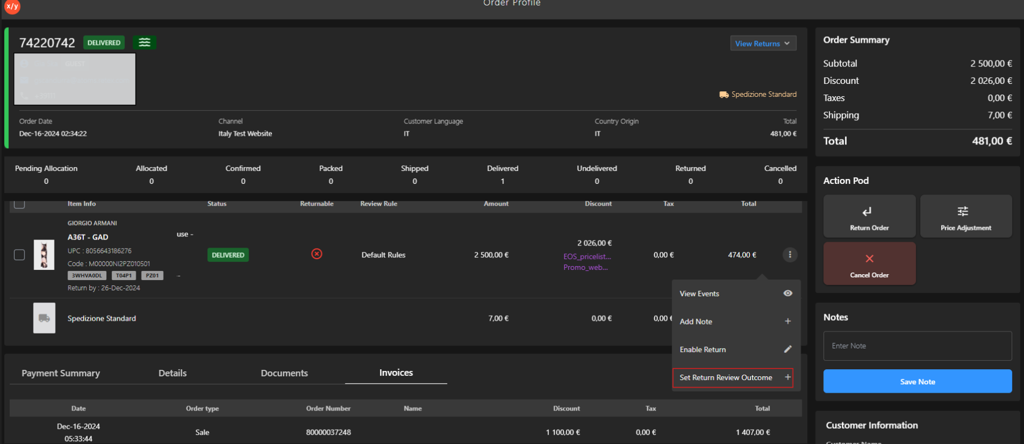
Open the Order Profile.
-
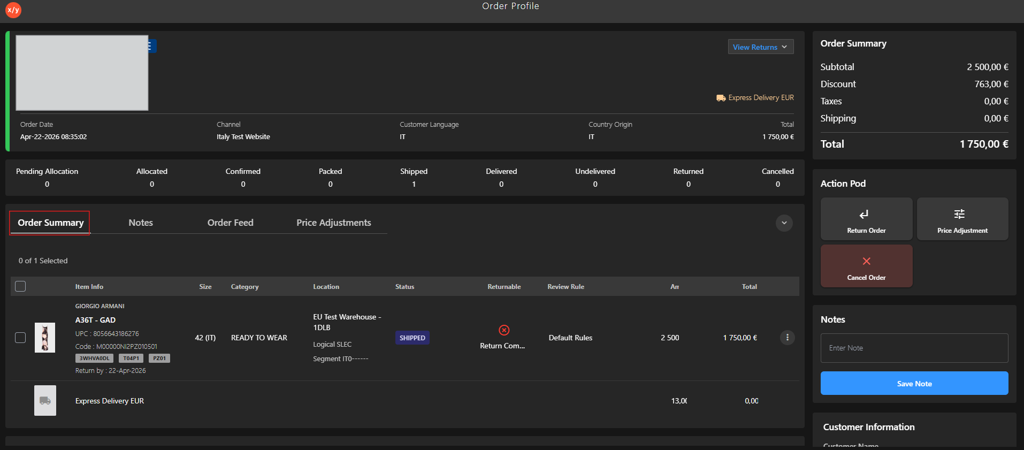
Go to Order Summary.
-
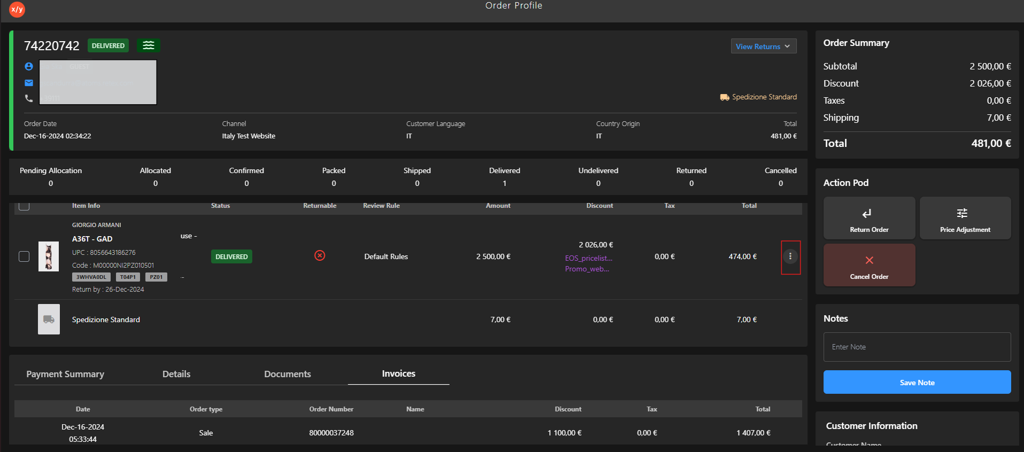
Click the Kebab Menu.
-
Click Set Return Review Outcome.
-
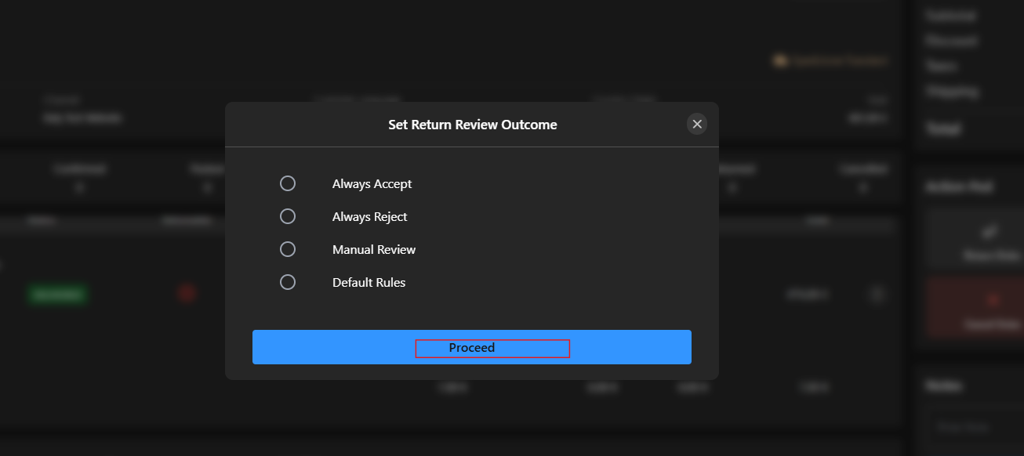
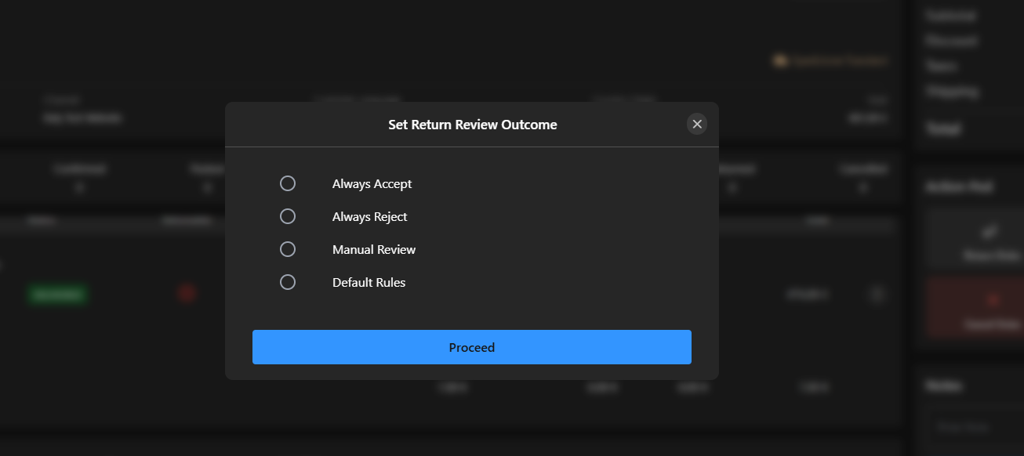
Select an option from the Set Return Review Outcome list.
-
Click Proceed to confirm the selection.