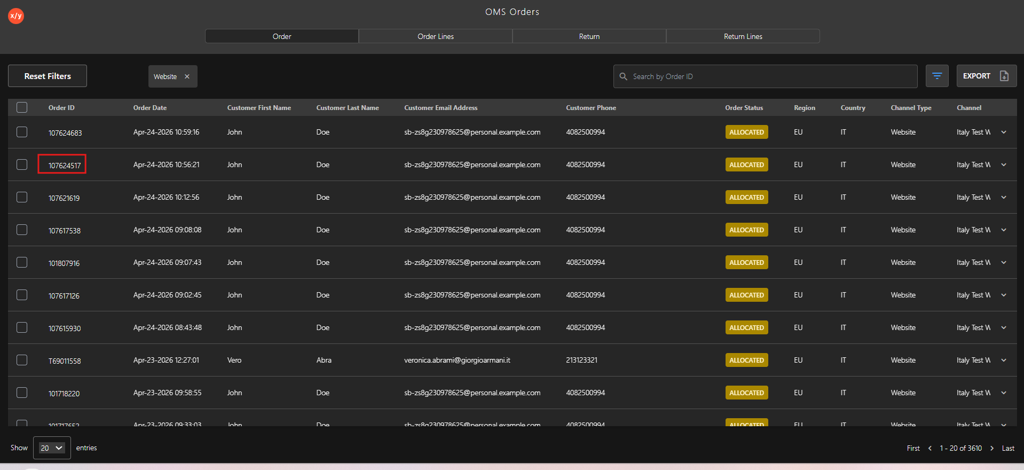
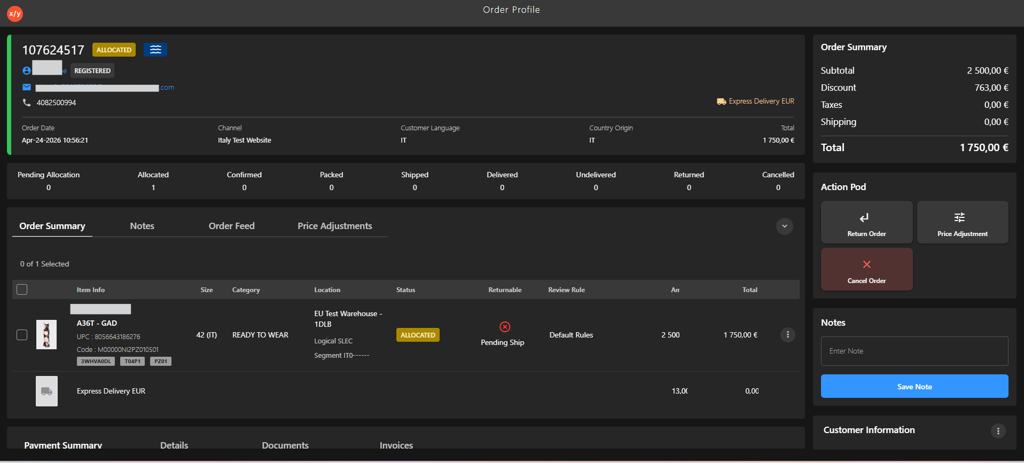
Searching for an Order in the Order Tab
Introduction
The Order dashboard allows users to locate orders using the Search box or Filter options.
Steps to Search an Order
-
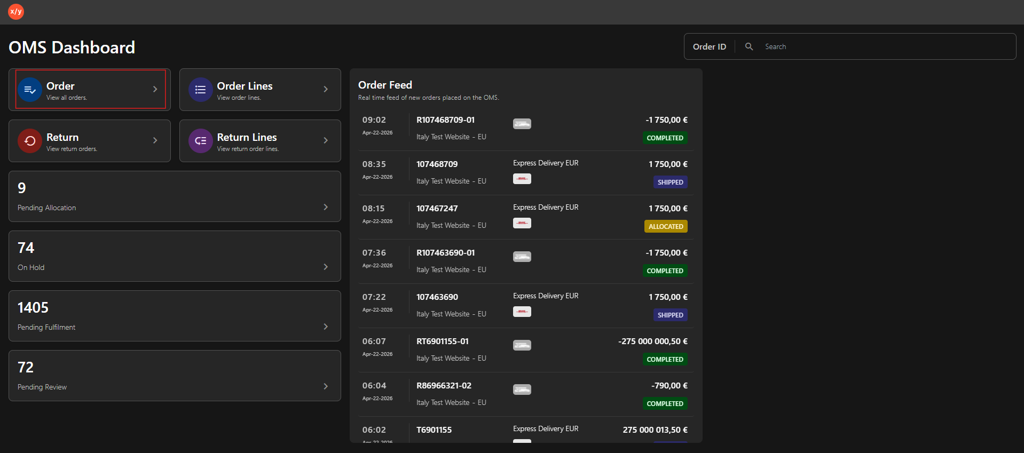
Click Order.
-
Select one of the following options in Order dashboard.
- Search Box
-
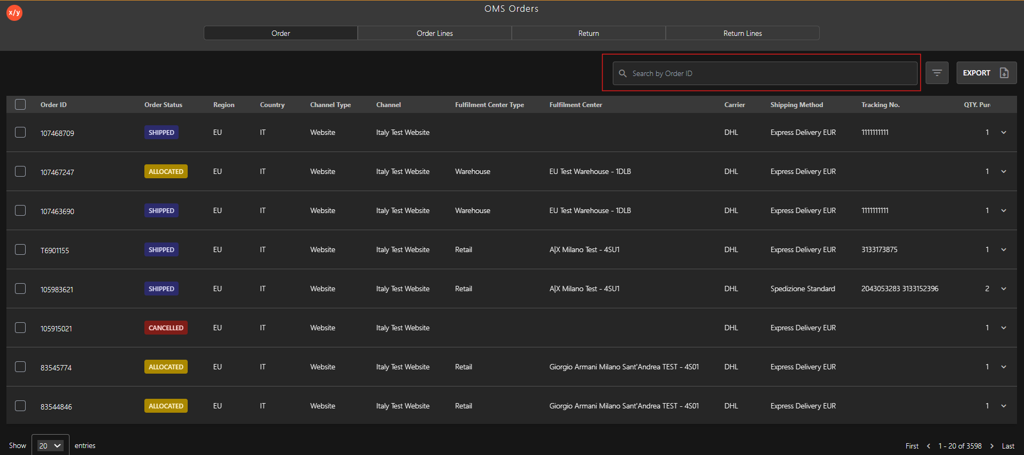
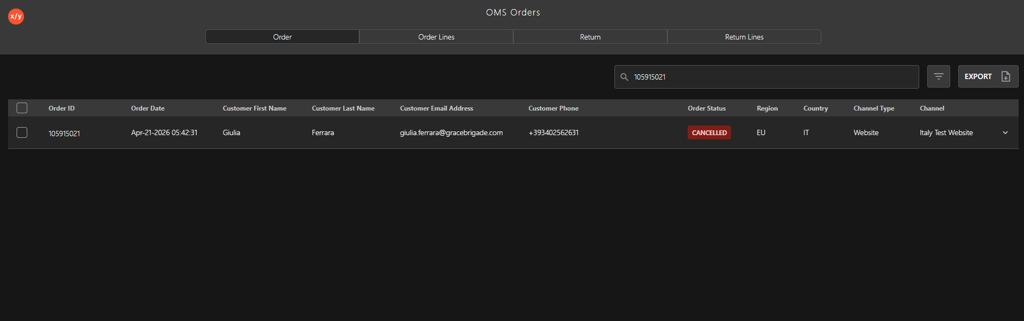
Enter the Order ID in the Search by Order ID field.
-
Press Enter to display the order details.
-
- Filter
-
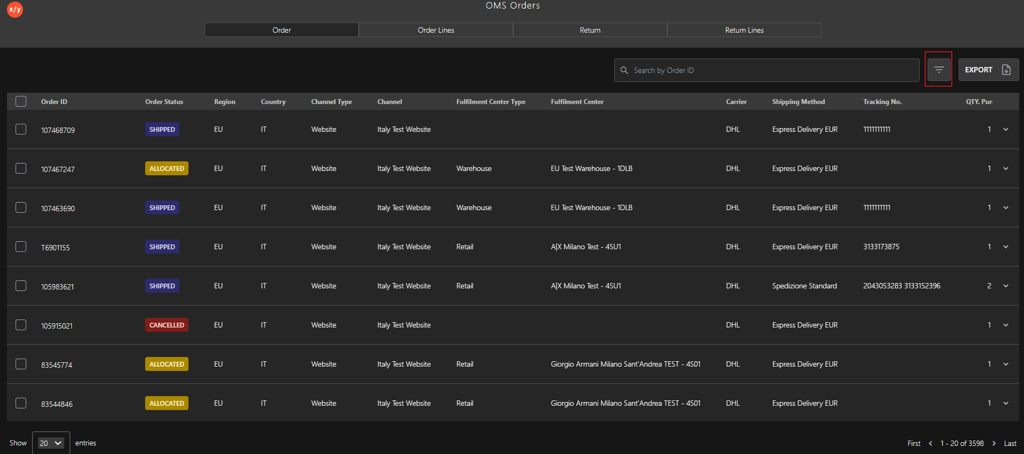
Click the Filter icon.
-
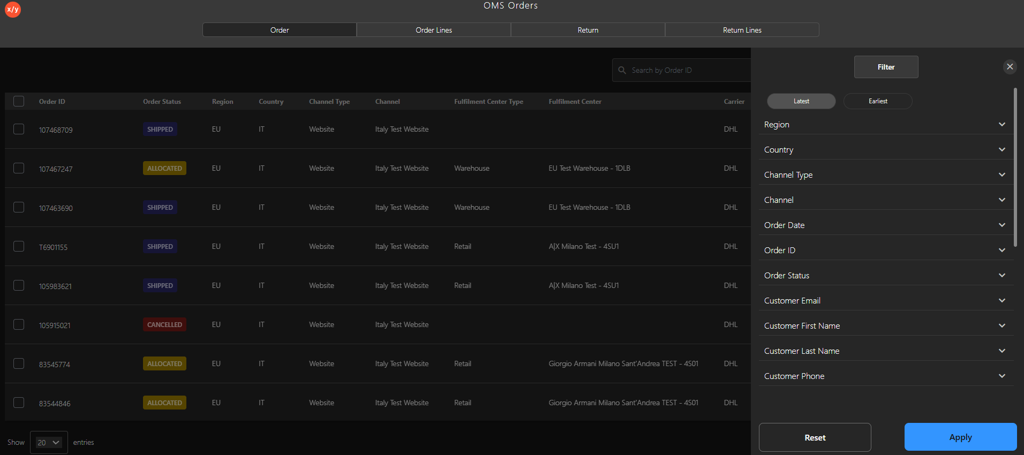
Select one of the following Filter category:
- Order ID
- Customer Email
- Customer First Name
- Customer Last Name
- Customer Phone
- Tracking Number
-
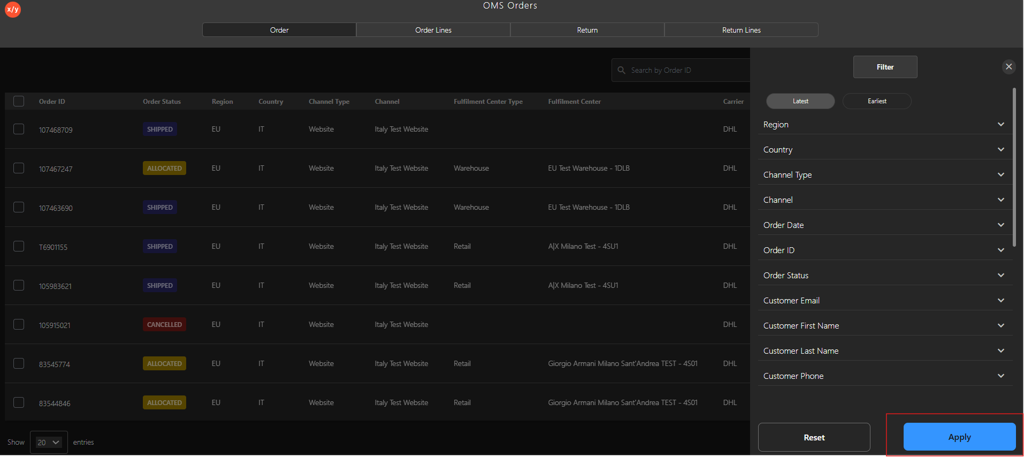
Click Apply to view the filtered results.
-
- Search Box
-
Click the Order ID to verify the order details.