Monitoring Orders with Order Status Queues and Order Feed
Introduction
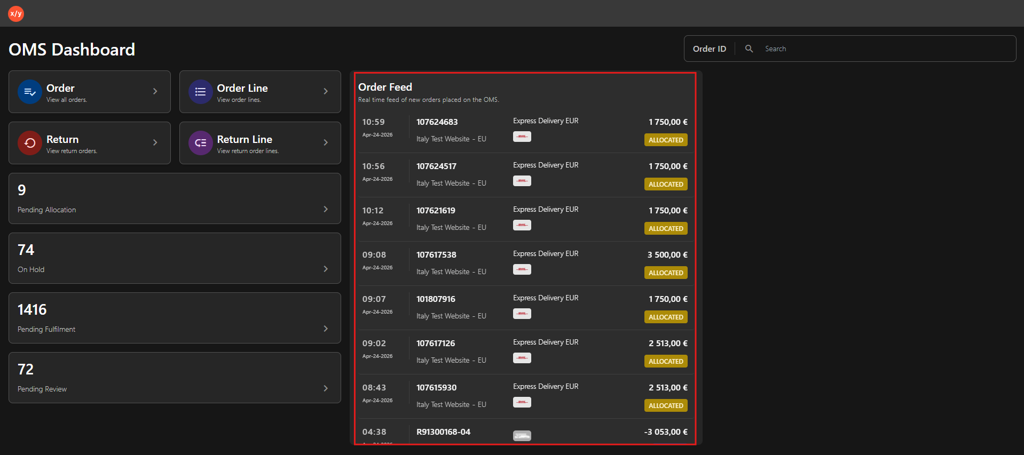
The Order Status Queues provide your team a live view of every order needing attention. Each dashboard widget shows a real-time count for a specific fulfillment stage—such as pending allocation, on hold, or awaiting review—so Customer Support can spot bottlenecks, prioritize urgent issues, and keep orders moving toward delivery. The Order Feed complements the queues by streaming live updates, letting you track individual order statuses as they change.
Review Orders with Order Status Queues and Order Feed
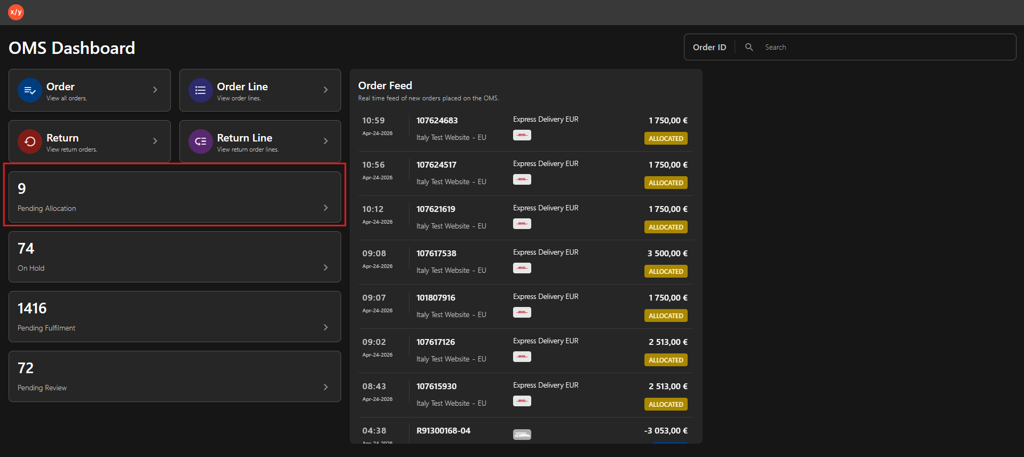
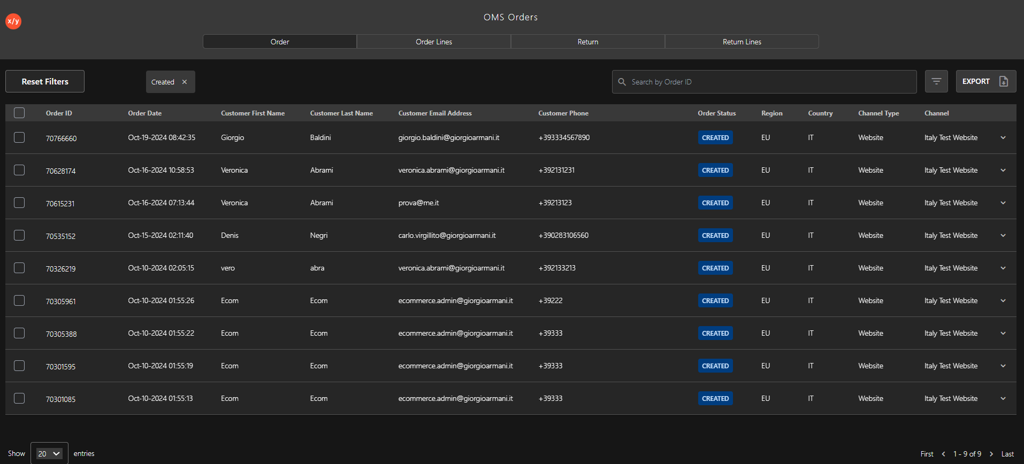
Pending Allocation: Click the Pending Allocation widget (for example, the screenshot below shows 9 orders) to filter and find transactions not assigned to a warehouse or fulfillment center.
On Hold: Click the On Hold widget (for example, the screenshot below shows 74 orders) to view transactions paused by credit checks, address verification, or customer requests.
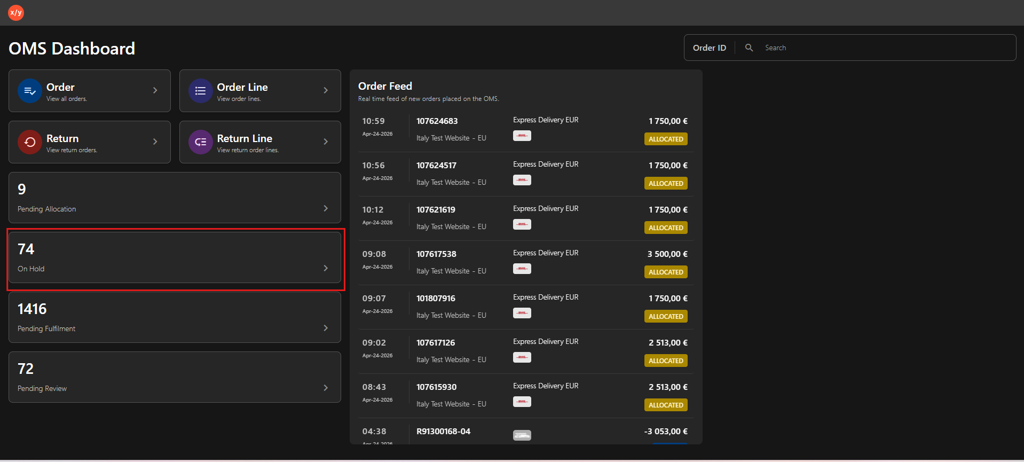
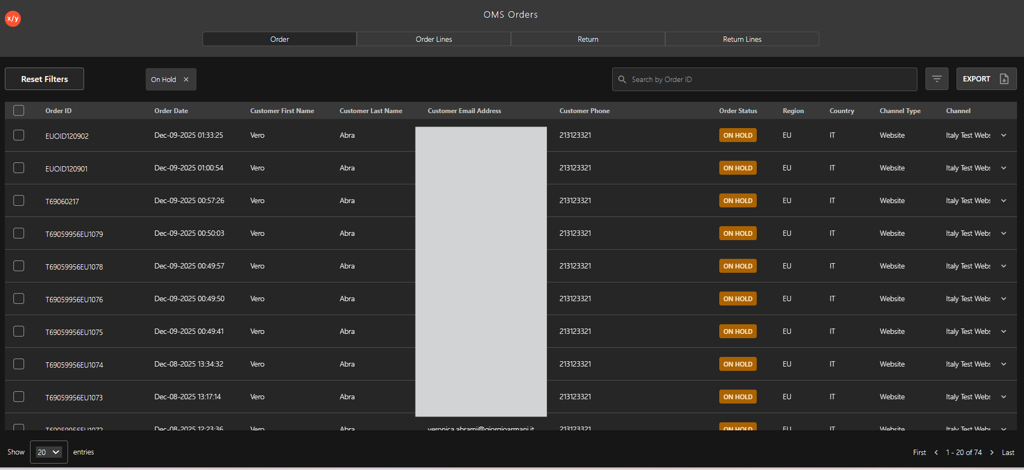
Pending Fulfillment: Click the Pending Fulfillment widget (for example, the screenshot below shows 1,416 orders) to monitor orders allocated and awaiting pick-and-pack. Use this queue to track warehouse processing speed and identify aging orders.
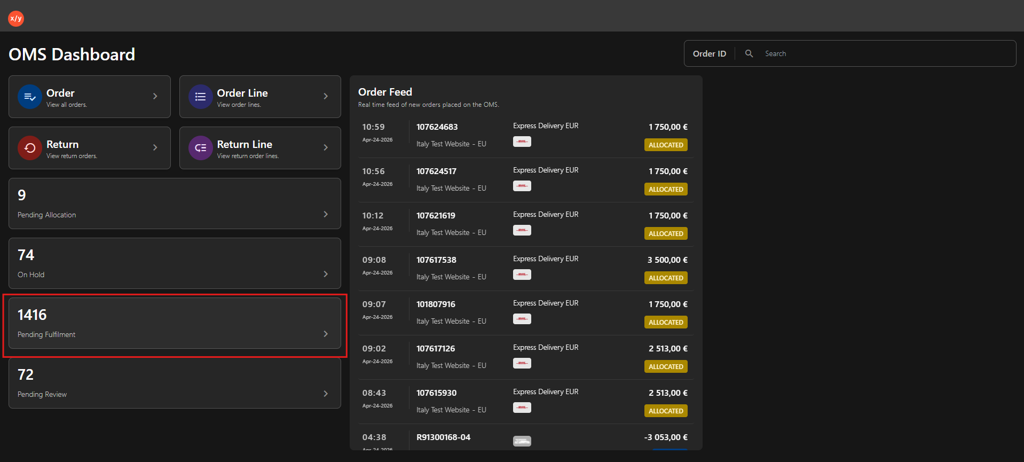
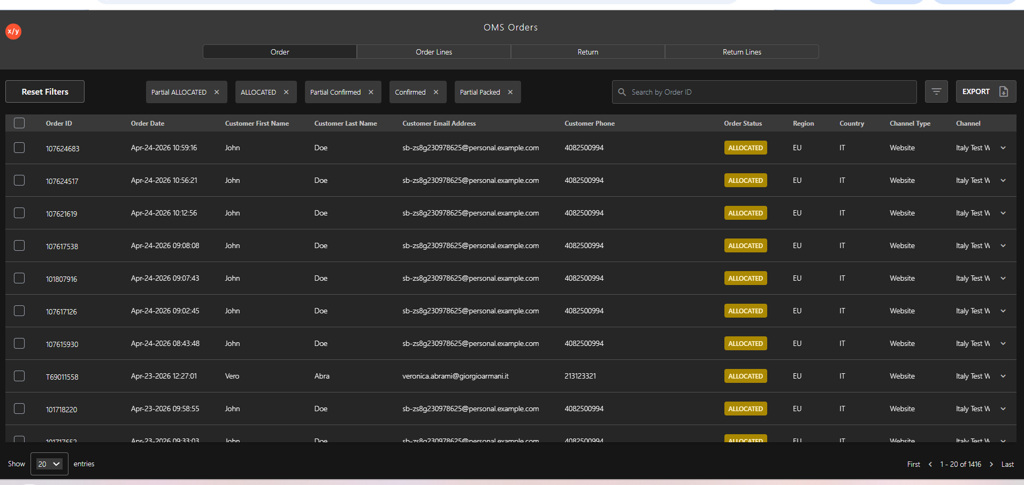
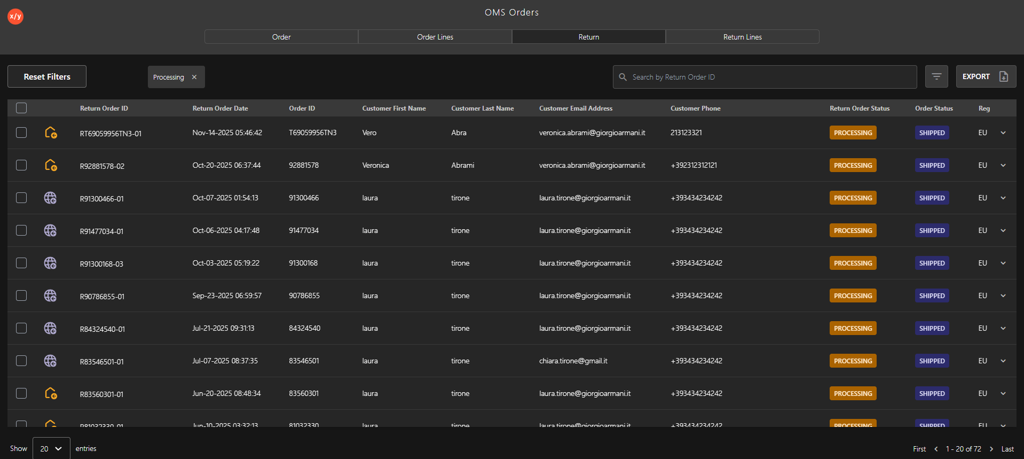
Pending Review: Click the Pending Review widget (for example, the screenshot below shows 72 orders) to see transactions flagged for potential fraud or manual validation. Verify the order details and approve or cancel the transaction based on security requirements.
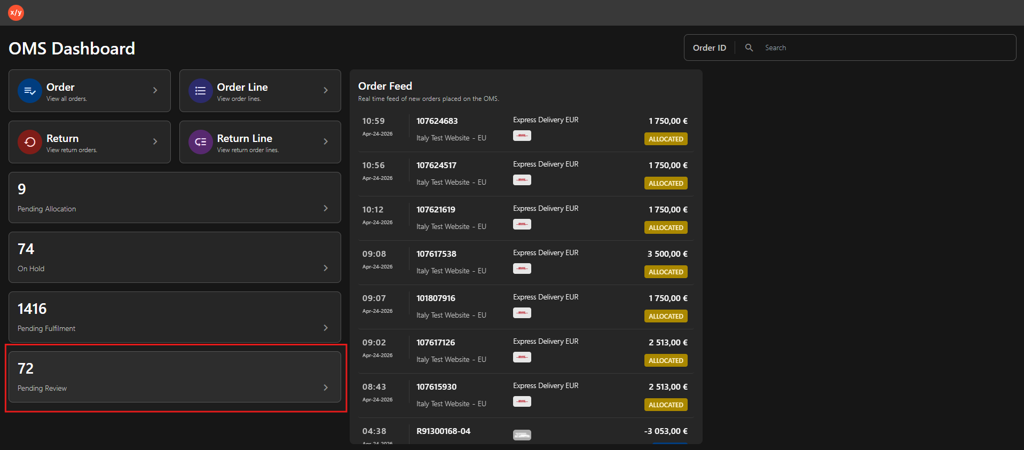
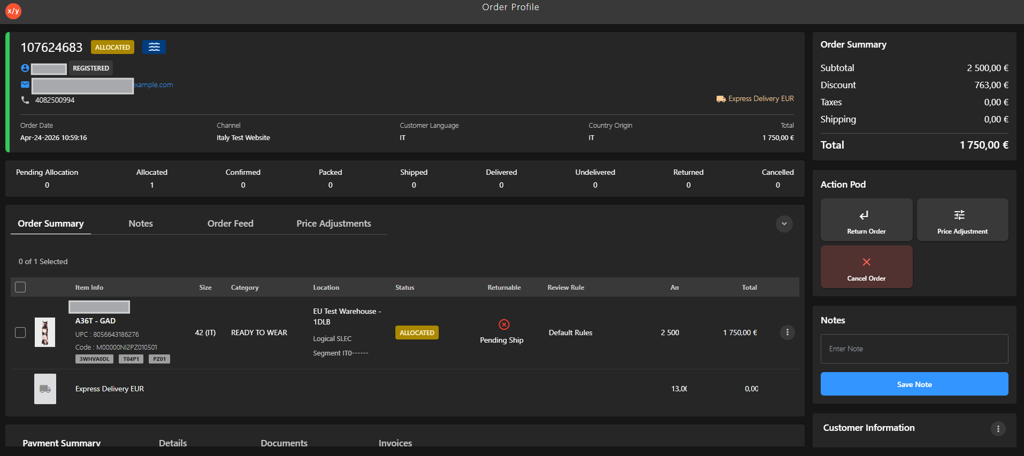
Order Feed: Click Order Feed to view real-time order updates and current status (for example, Allocated, Shipped).